Modules · Focus
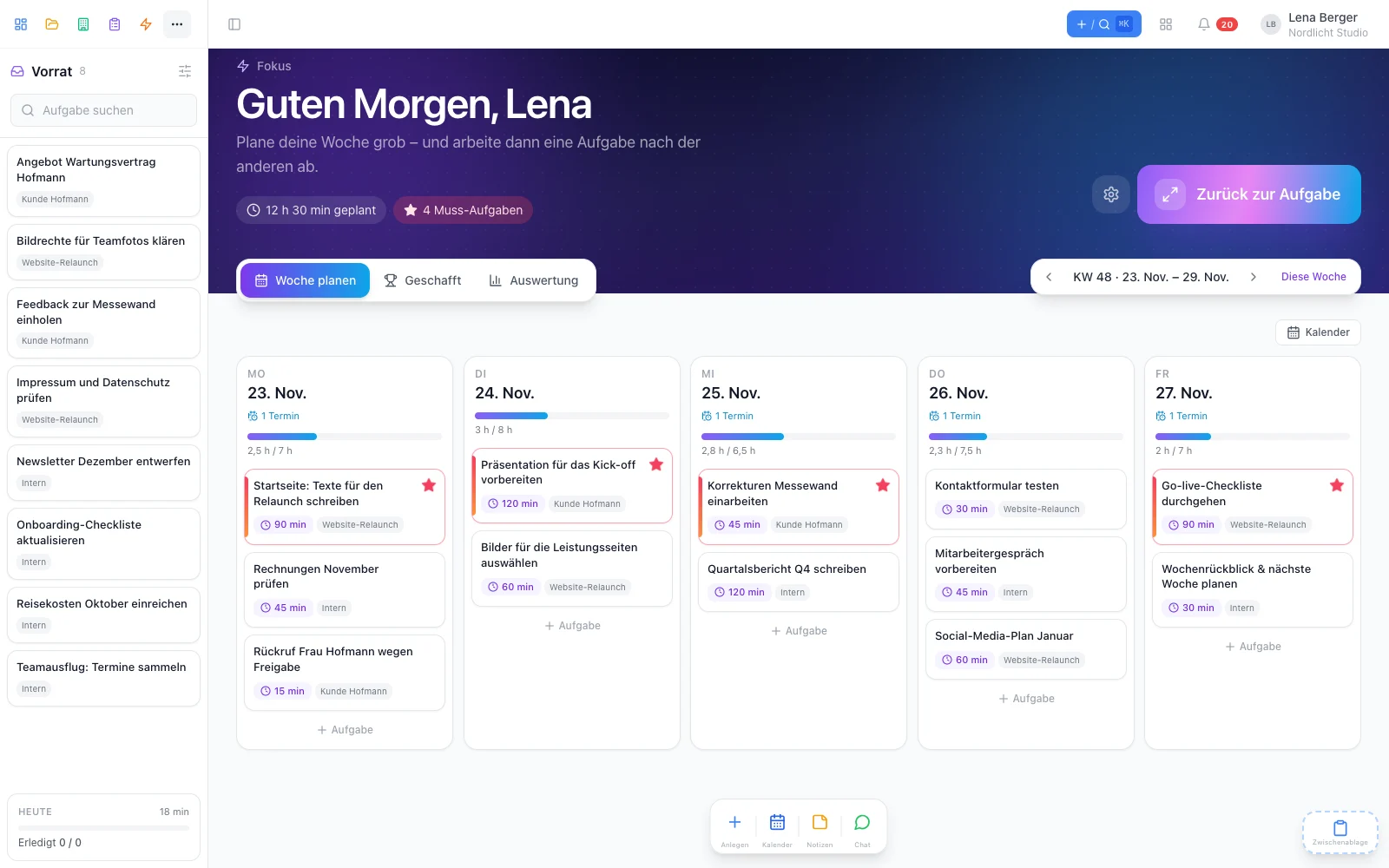
A long list is paralysing. Focus separates planning from doing: you roughly spread your week, mark what must be done today – and then see only the one task you are working on, in full screen.
Plugin · free · 2 members free
Roughly spread the week, flag what matters
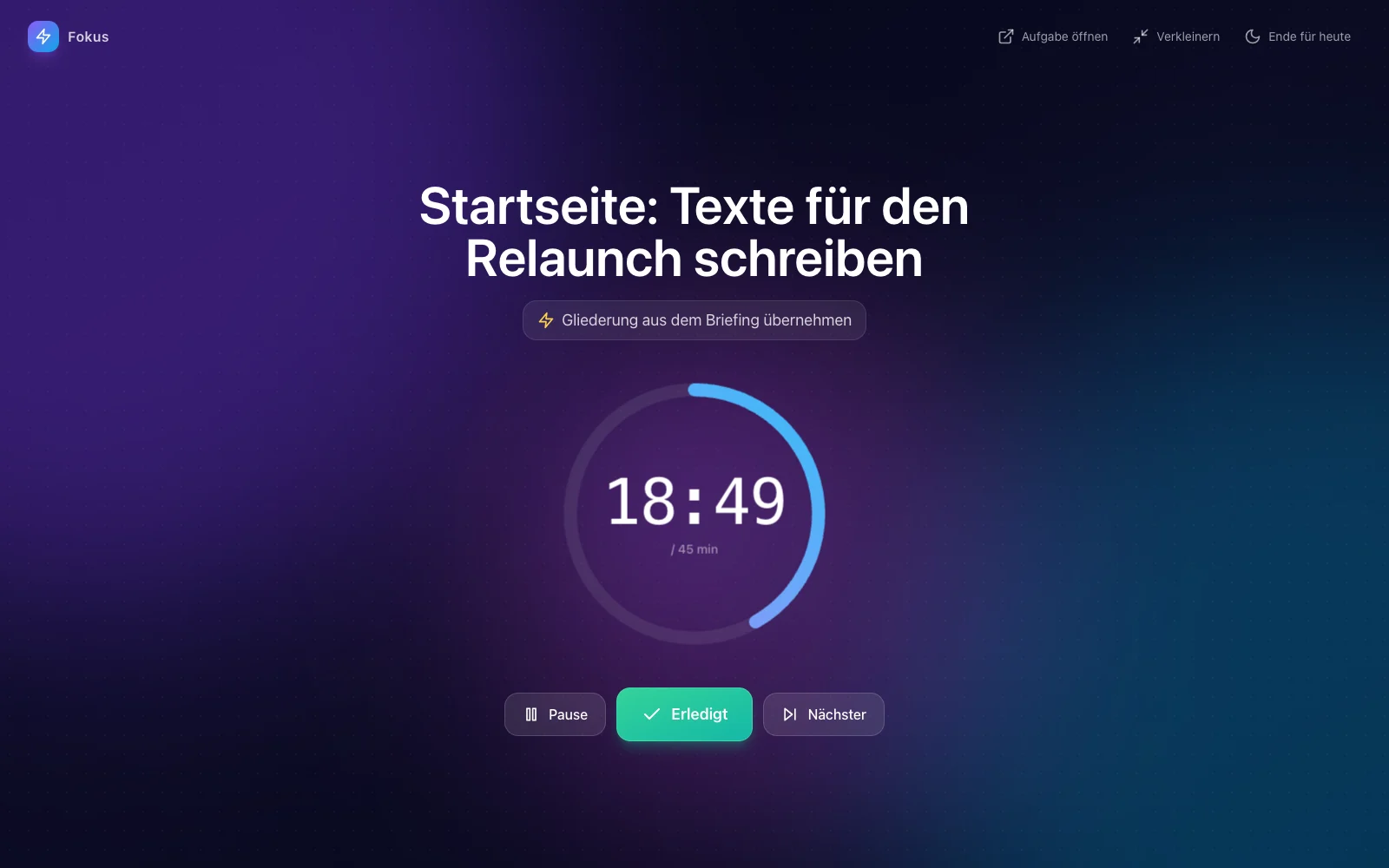
Just the current task – done, and the next one follows
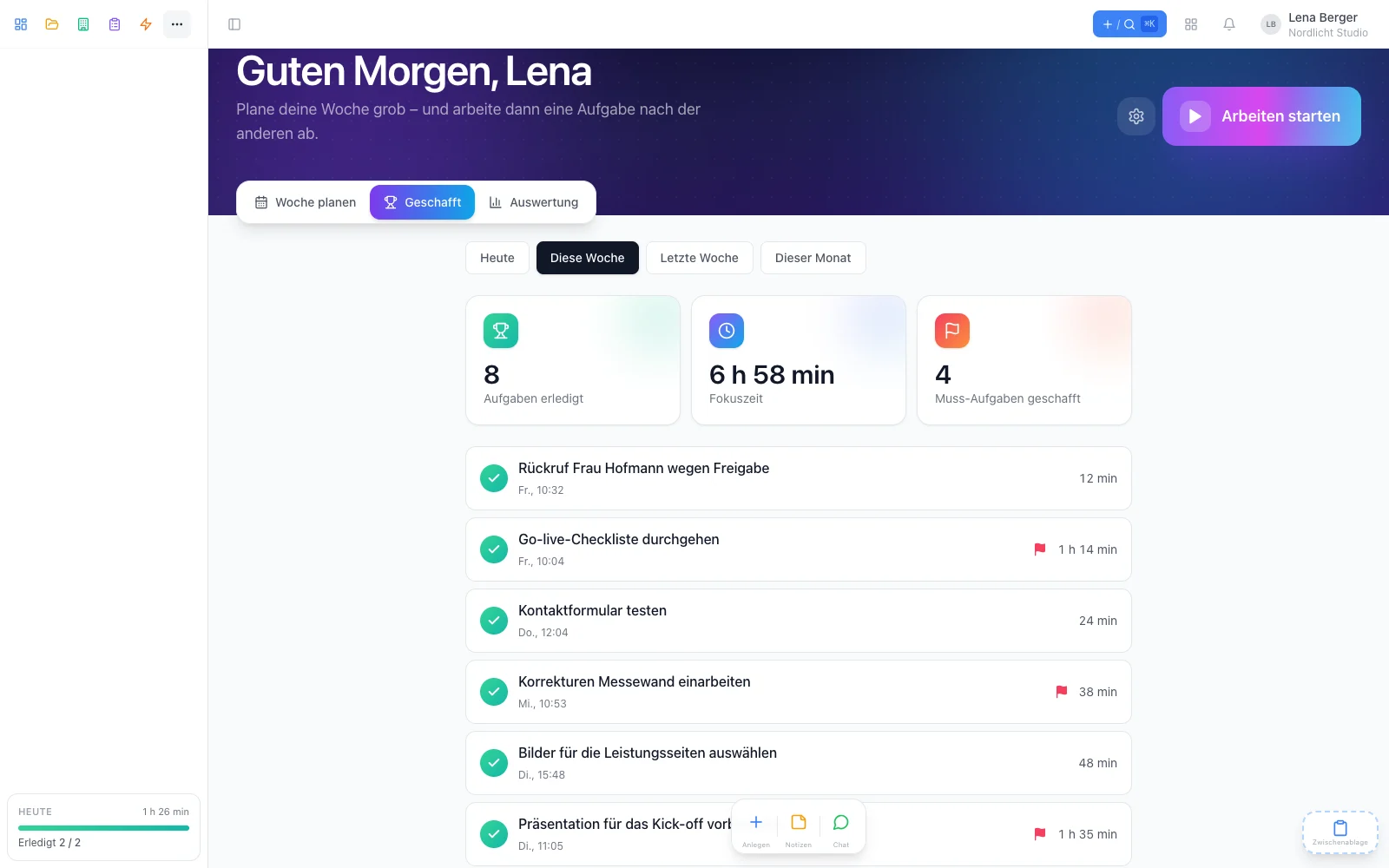
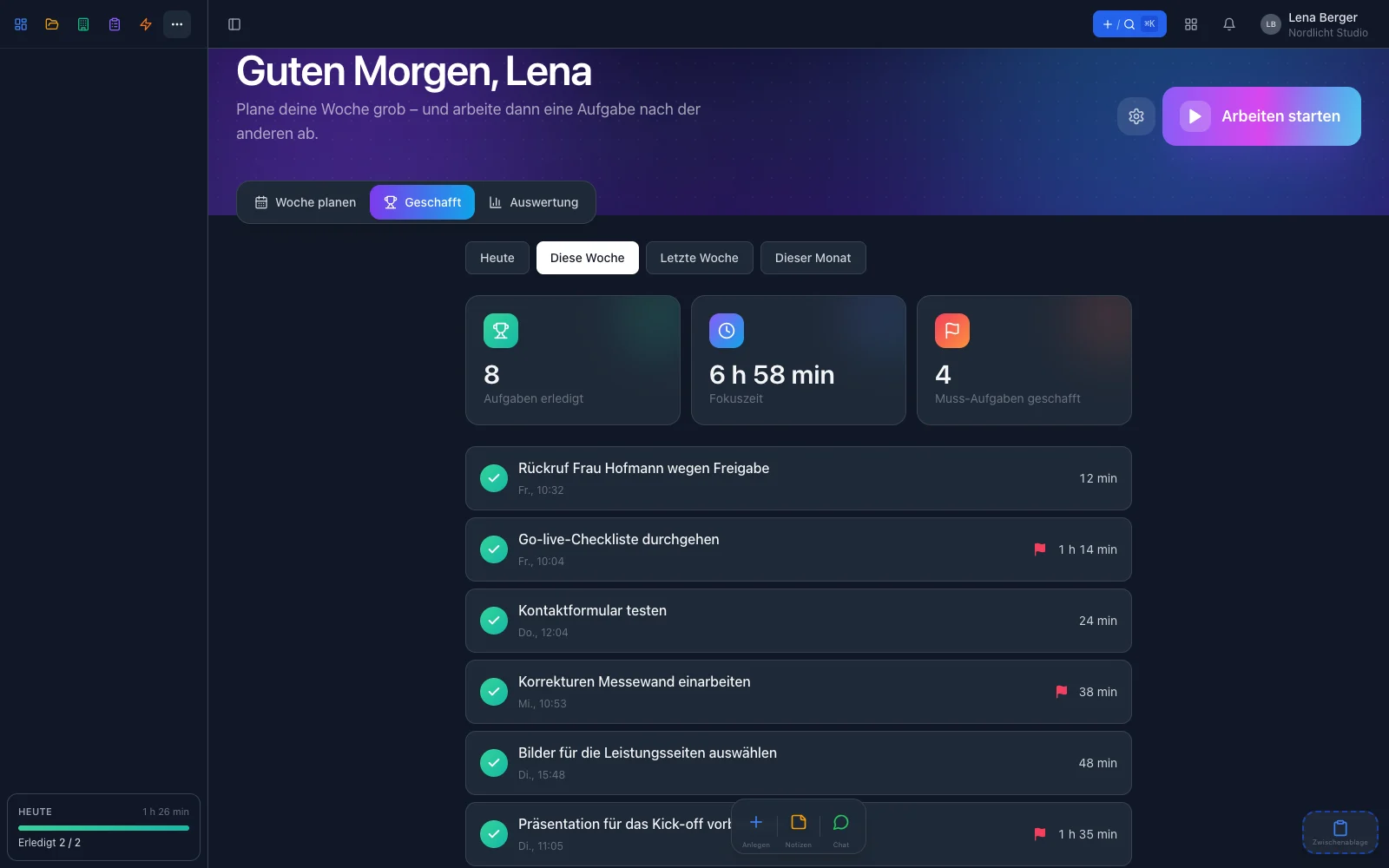
At the end you see what you achieved
Everything at a glance
Drag tasks from the backlog onto weekdays – that sets your personal date. Create new tasks right inside a day.
A flag marks what really has to be finished on a day. Those tasks come first.
A bar per day compares planned time with your hours minus meetings – red when the day is too full.
In work mode you only see the current task. You set a time box; when it’s up, Focus lets you know – +10 min, done or next.
With the calendar, your next meeting slides in from the right in good time – with a countdown and “Join”. Your task keeps running.
A list of everything you completed, plus insights into how long you worked on what.
1 · Plan
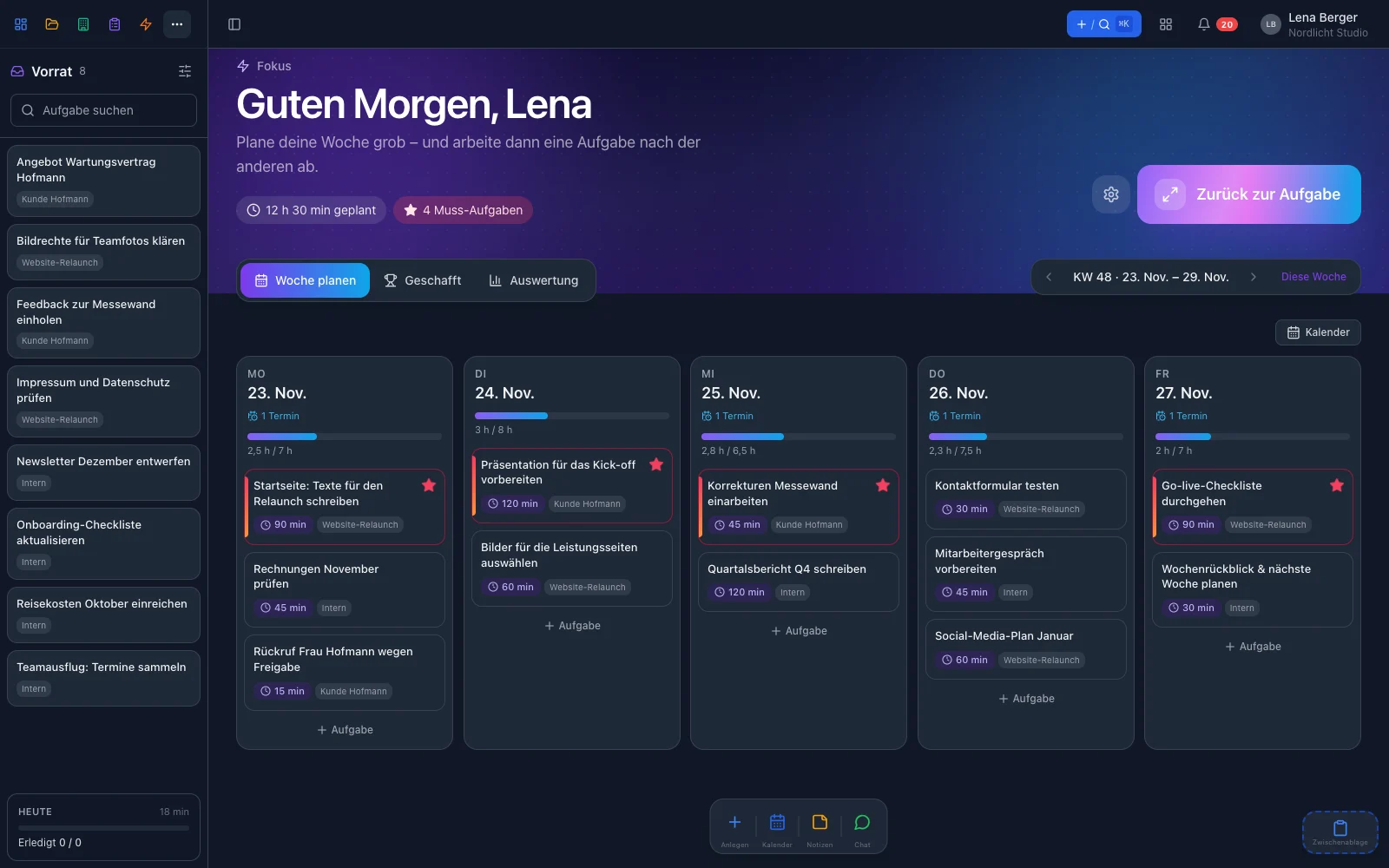
Your backlog on the left, the days on the right. While you drag a task, a calendar for the next two months appears – so you can push things into the future without paging around.

2 · Focus
No “up next”, no remaining count. The task in large letters, your first small step below, plus the timer. Not in the mood? Move it to later today, tomorrow, next week – or back to the backlog.

3 · Done
If you only look at the open list, you never see an end. That’s why Focus shows you what you achieved: every completed task with its focus time, must-dos counted separately – for today, this week or the whole month.

Stays with the team
Focus is just your personal view of your team’s regular tasks. You don’t create anything twice and you don’t take anything out of the team’s workflow: the task stays in the project, with the customer and on your colleagues’ board – and keeps everything it can do. What you finish in Focus, the team sees as done right away.
A few minutes: drag tasks onto days, flags for “must today”. Focus asks whether you want to clock in.
“Start working”, pick a time box, go. Before meetings Focus shows you in good time when it starts.
The daily summary shows what got done. Leftovers move to tomorrow in one click.
Just for you
How long you worked on what, how often you postponed or got interrupted: that’s your business. No admin, no team report. The data is deleted automatically after 365 days, and you can delete it yourself at any time.
FAQ
Nothing. Focus is free and switched on in every team from the start; an admin can turn it off under Administration → Plugins.
No. Only you can see your focus data, admins included. Only if you tick “also log as task time” at the start is the time additionally recorded on the task – like any other logged time.
No. Without the calendar you plan and work just the same; the meeting guard (countdown and “Join” before meetings) needs the Calendar plugin.
You choose “next” and move it to later today, tomorrow, next week or back to the backlog. After the third time, Focus asks whether it’s too big and offers to split it into subtasks.
In the browser and in the desktop app for macOS. Focus is not yet available in the workYoo GO smartphone app.
Turn on Focus, plan your week, start the first task – in five minutes.