Modules · Views

Your tasks, your view

A board for the team, a weekly plan for you, a timeline for the boss: the same tasks in whatever shape you need right now — filtered, saved and shared with the team.

Start free Click through the views

2 members free · All views included · Cancel monthly

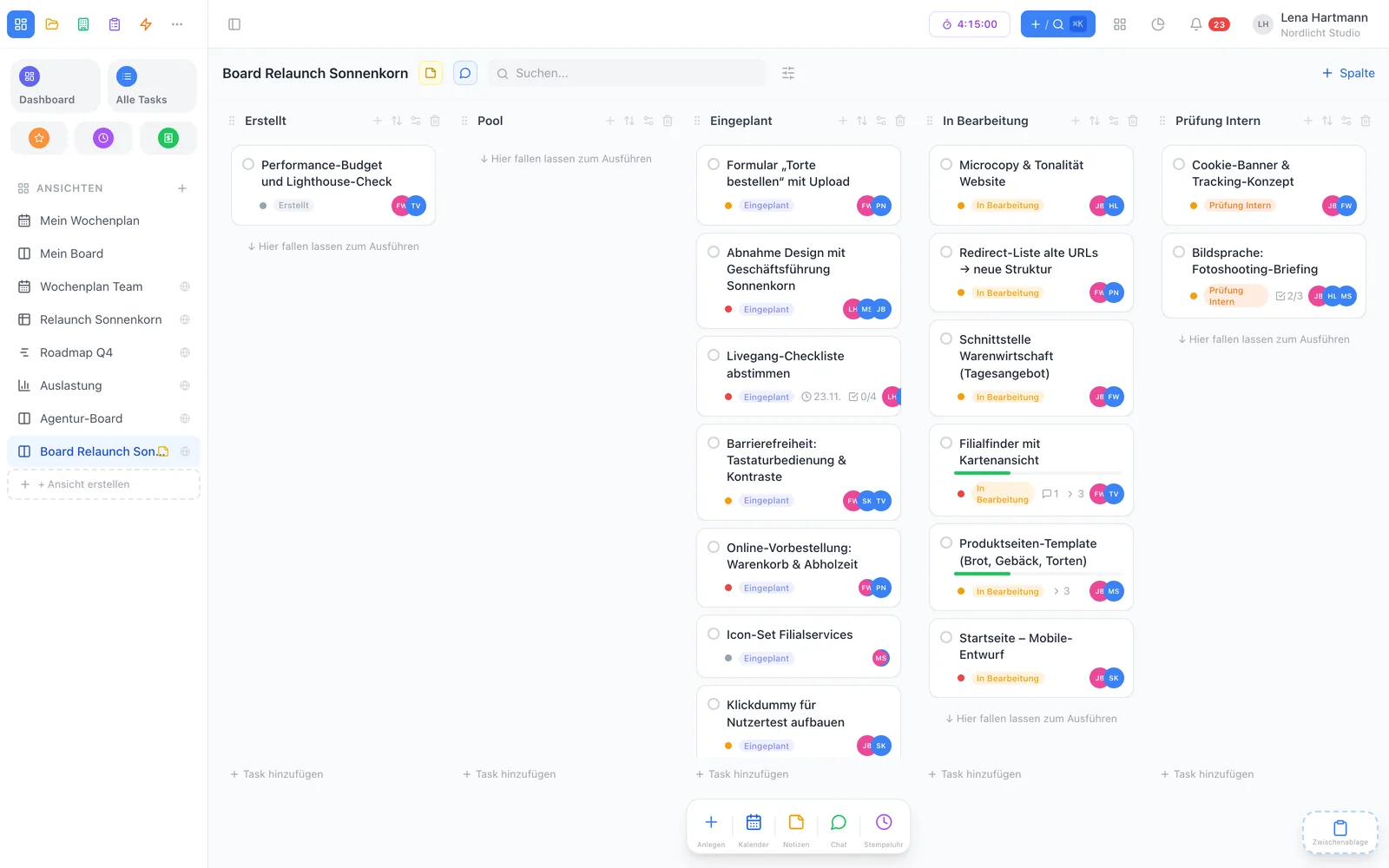
team.workyoo.com/views/board
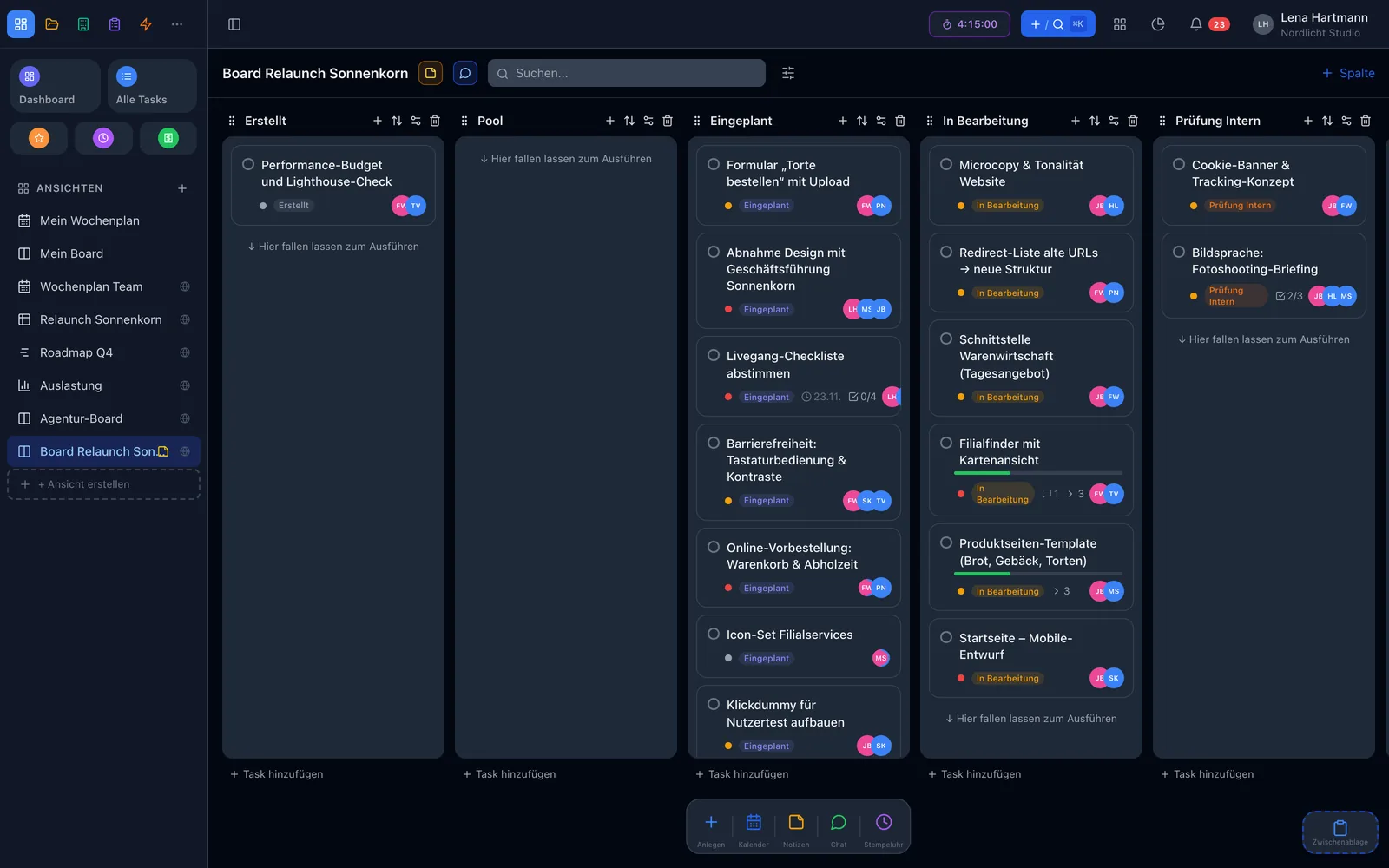
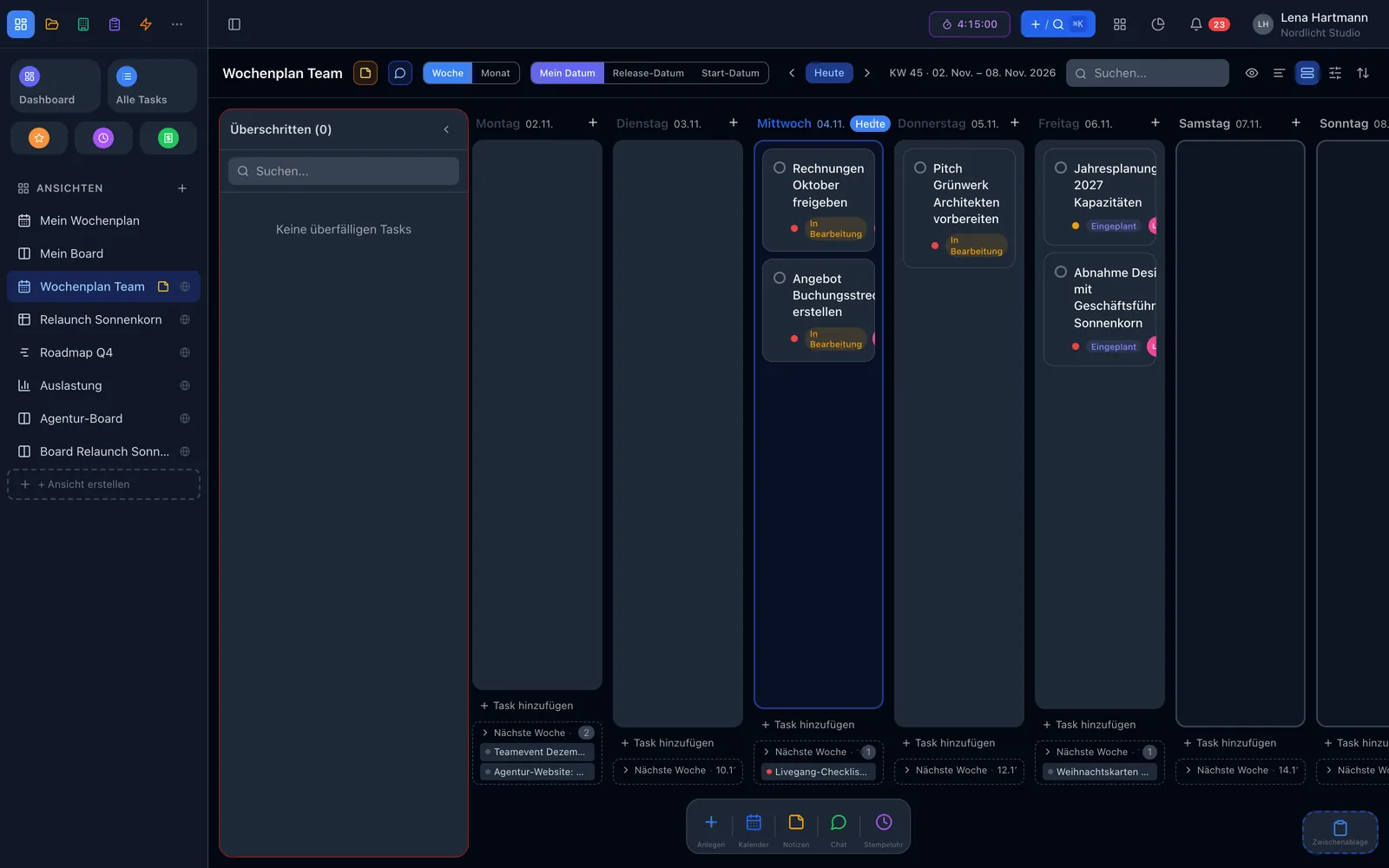
Kanban board of a view Kanban board of a view

Click through

Six of many views

Every view shows the same data — just arranged differently. Whatever you change here is up to date everywhere at once.

team.workyoo.com/views/board
BoardBoard
team.workyoo.com/views/list
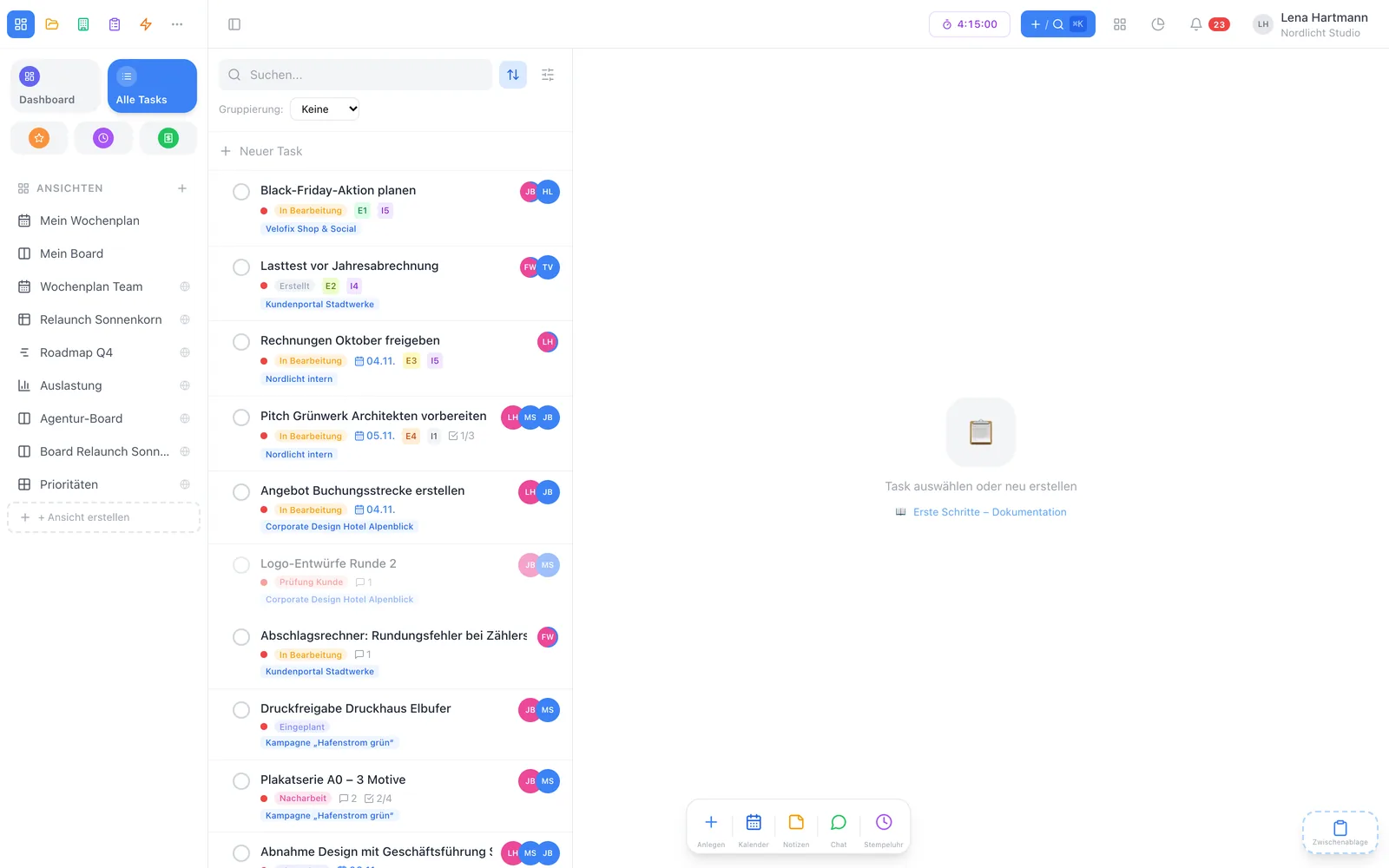
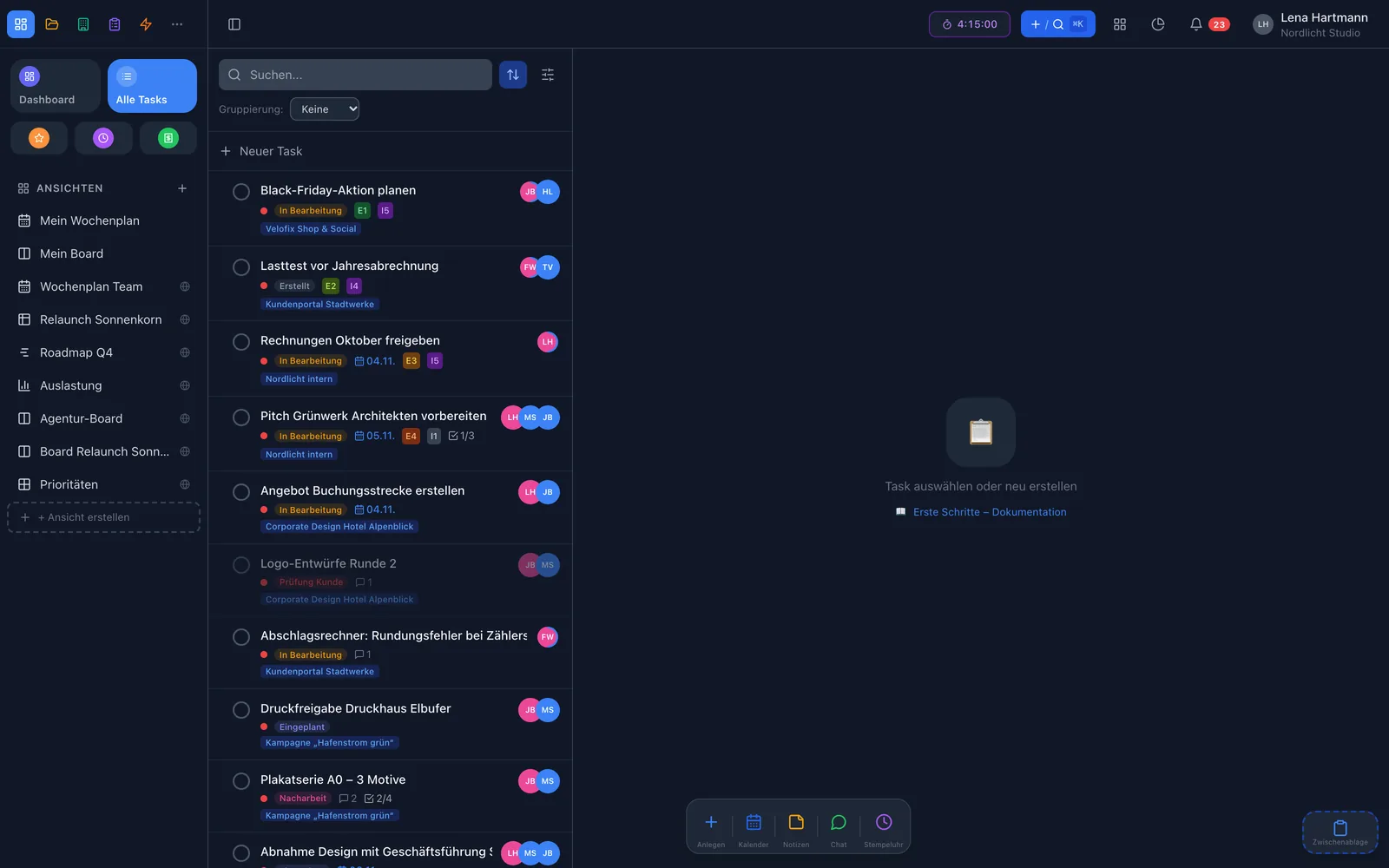
List viewList view
team.workyoo.com/views/week
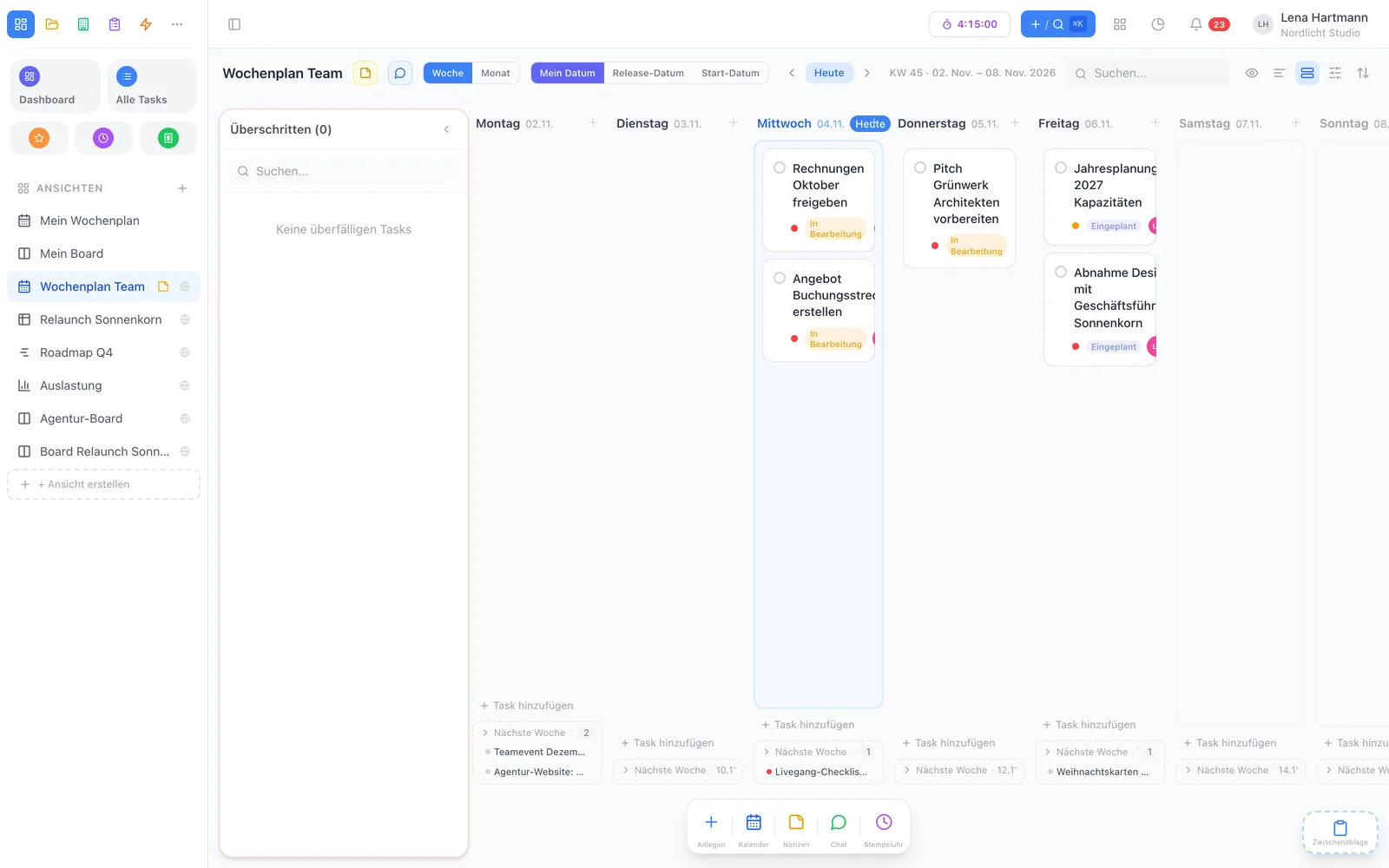
Weekly planWeekly plan
team.workyoo.com/views/timeline
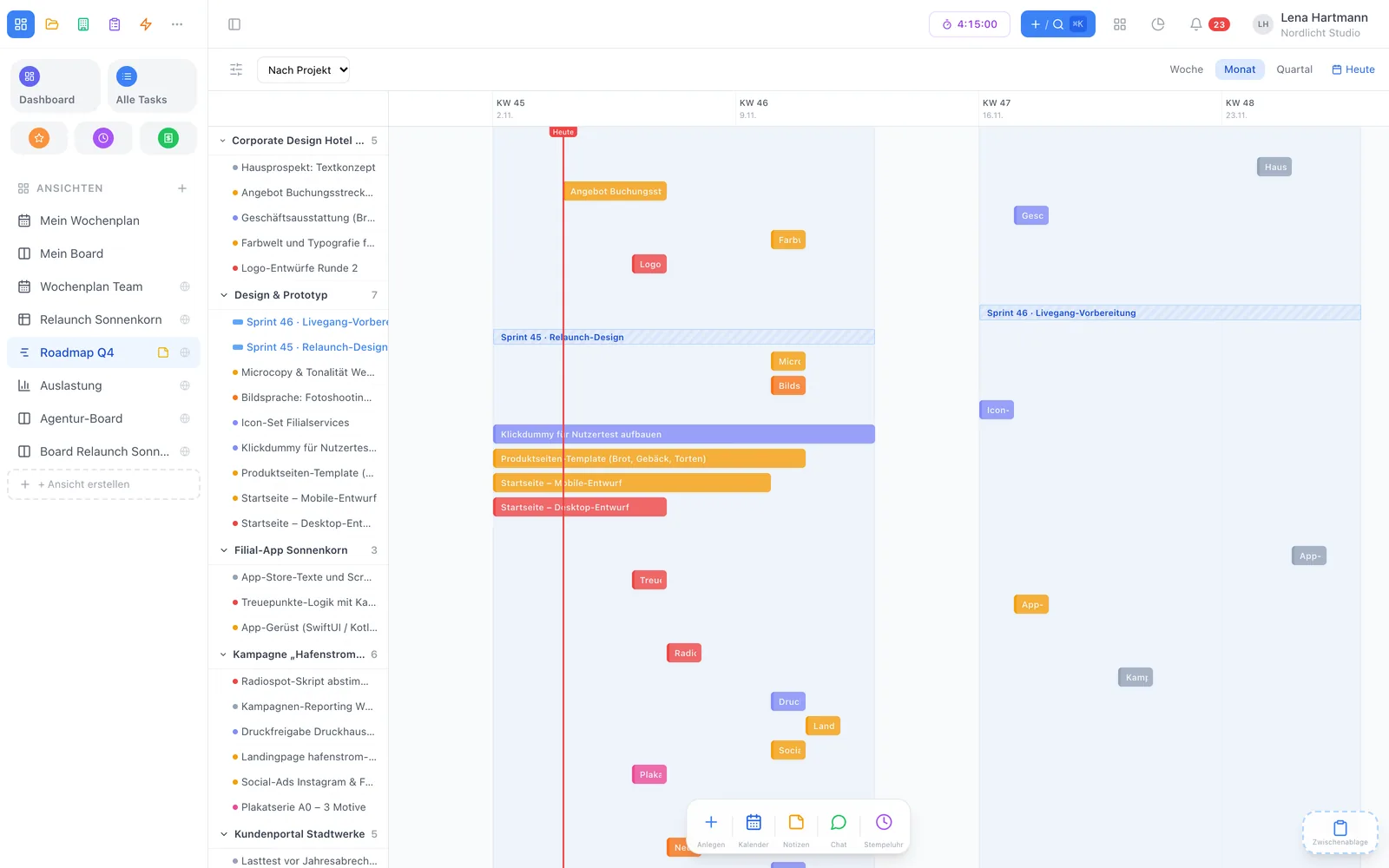
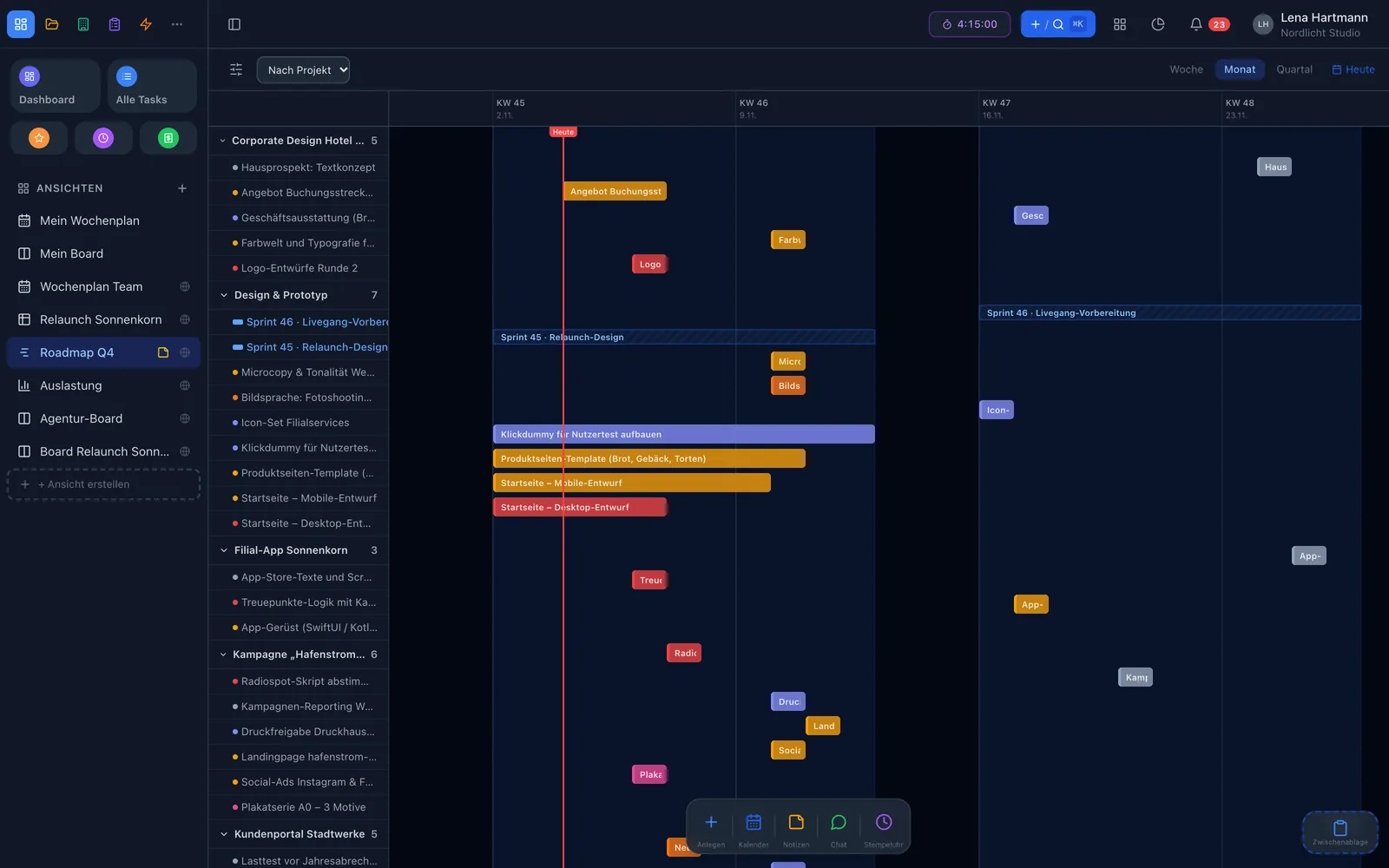
TimelineTimeline
team.workyoo.com/views/workload
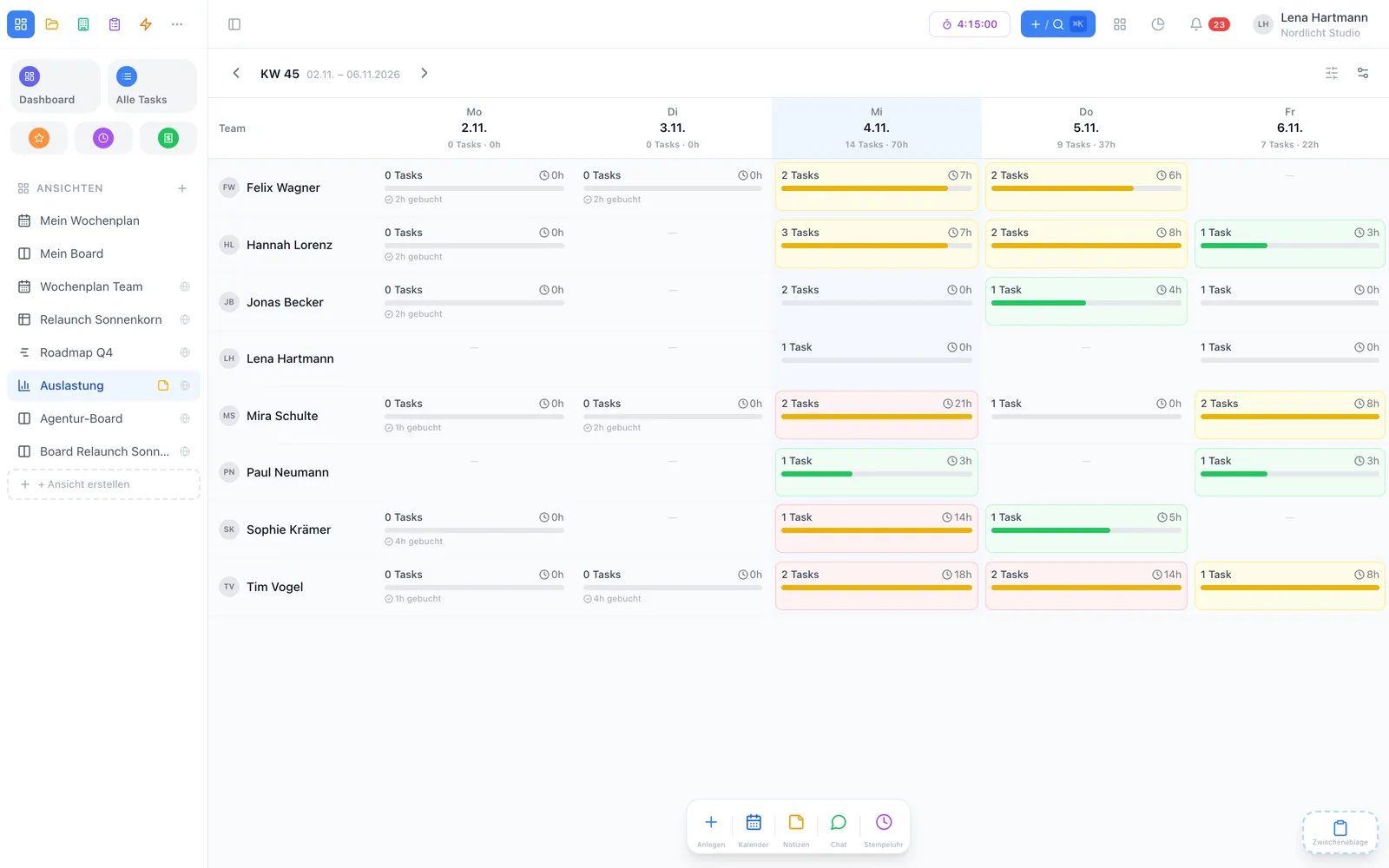
Team workloadTeam workload
team.workyoo.com/views/eisenhower
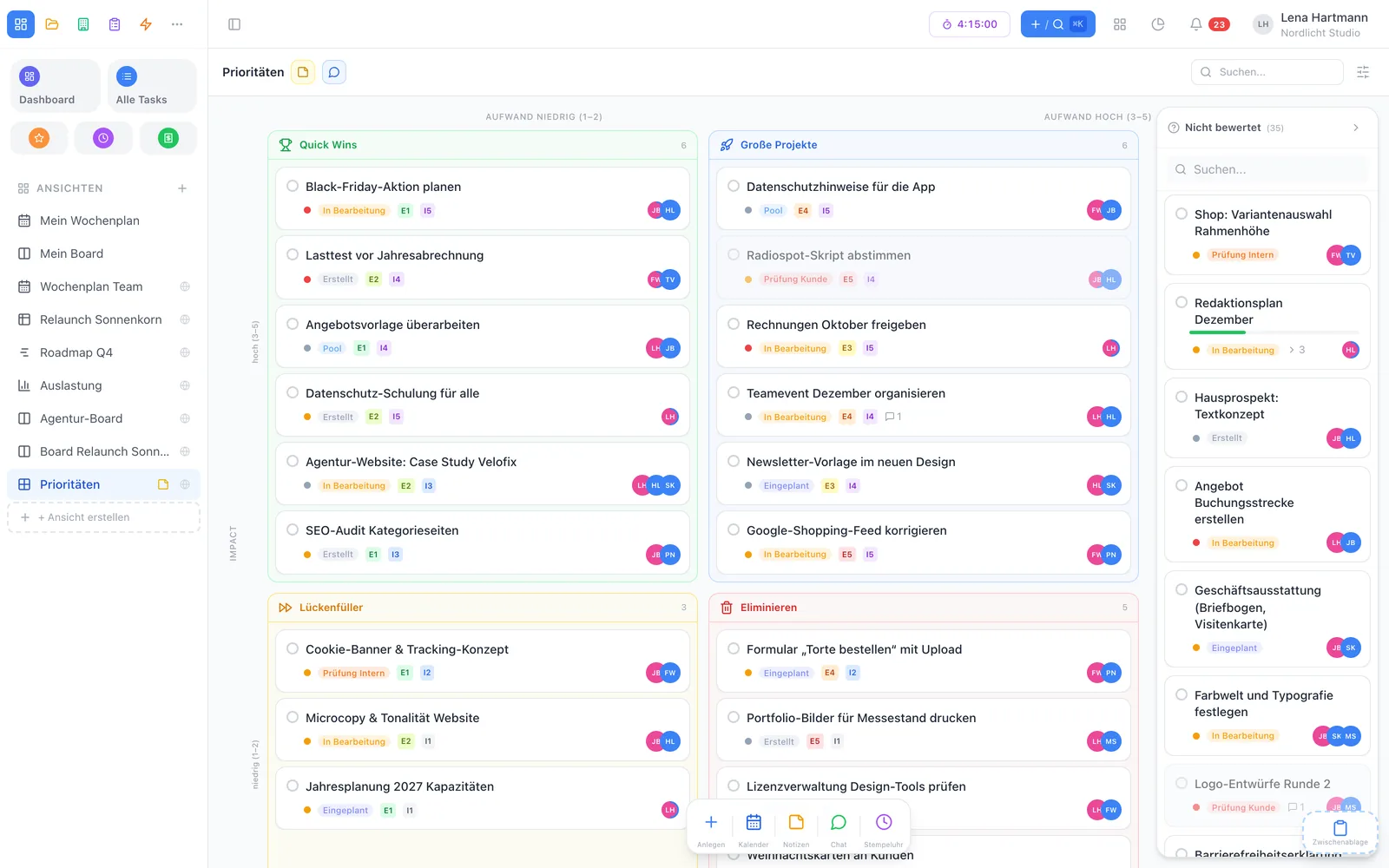
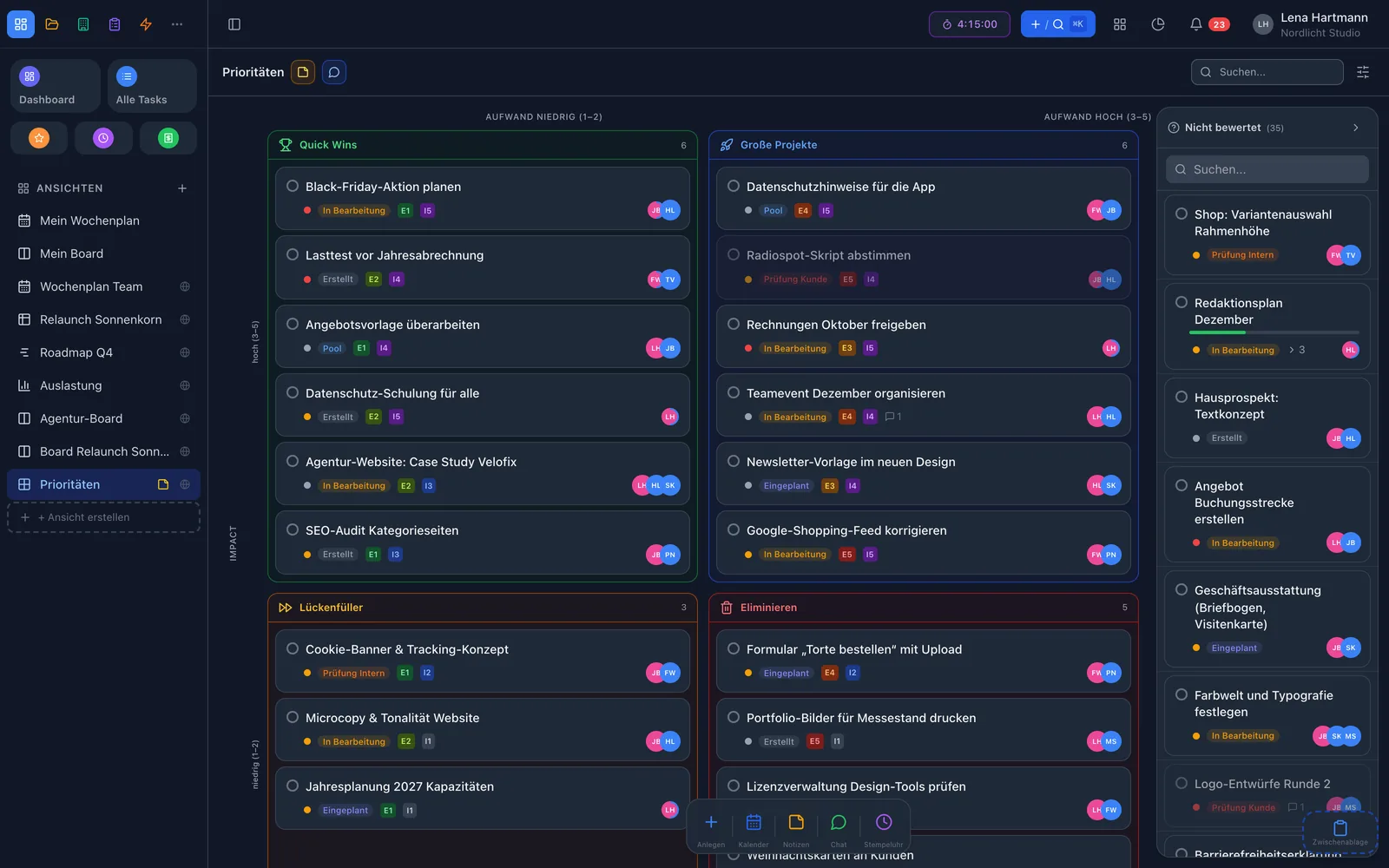
Effort and impact matrixEffort and impact matrix

The line-up

The right view for every question

List

As simple as Apple Reminders, grouped however you like.

Board

Cards in columns you define freely — move them on with drag & drop.

Weekly plan & planner

Plan tasks by “my date” or release across week and month.

Table

Freely arranged columns, sort and drag.

Timeline

Roadmap with week, month or quarter zoom.

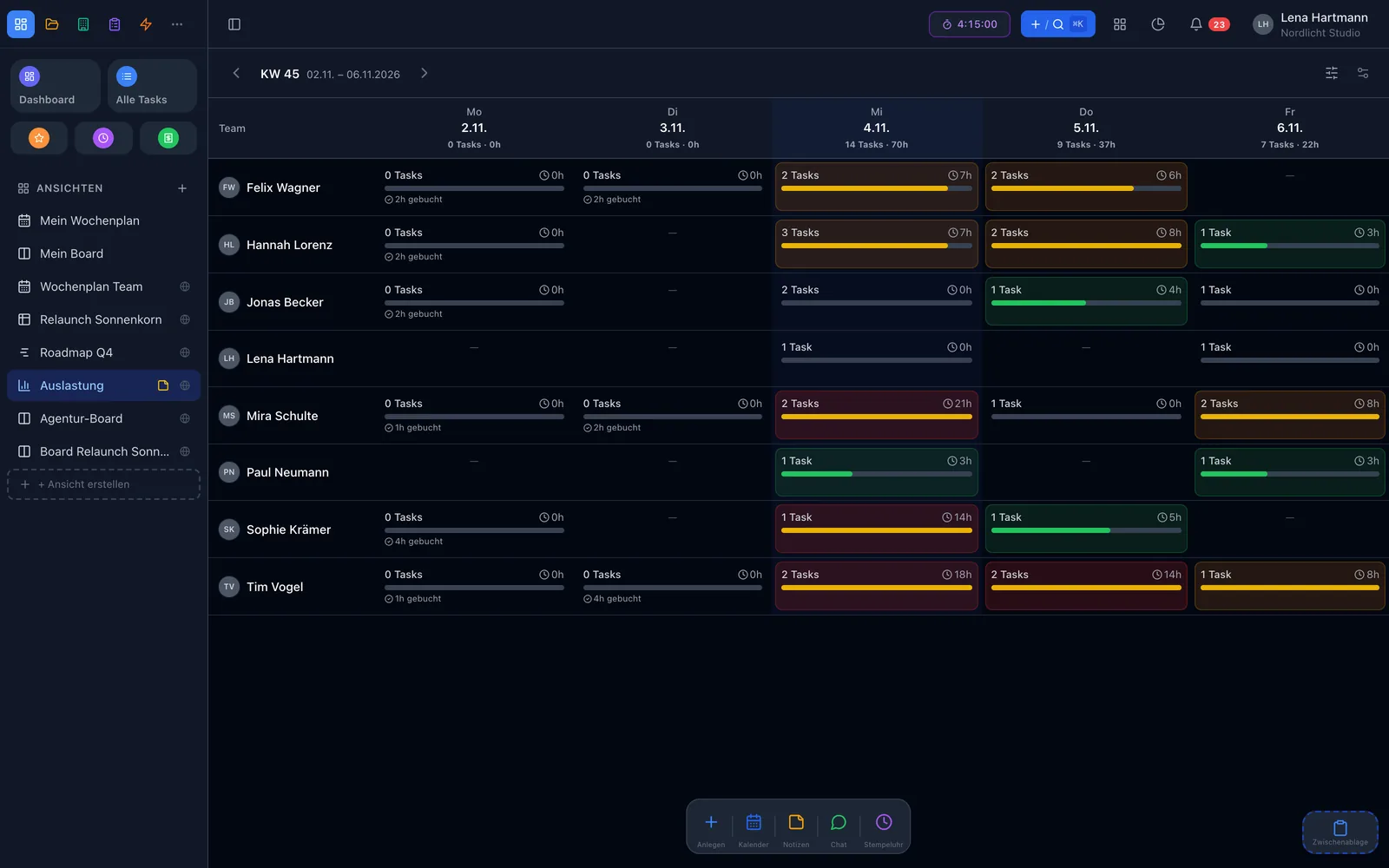
Team workload

Heatmap per person and day: green, yellow, red.

Matrix

Effort versus impact — what delivers most for the least work?

Canvas

A free whiteboard for tasks and ideas.

Plus: release planning, dependencies, revision and the team sticky-note board.
Smart Filter

Filters like Apple Reminders — only more powerful

Combine as many conditions as you like with “all” or “any”: status, project, sprint, customer, tag, assignee, date or your own custom fields. Save the result as a personal view or share it with the whole team.

  • Date rules such as “today” or “today or earlier”
  • “Me” placeholder — one shared view, personal for everyone
  • New tasks inherit the filter values automatically
  • Sort views into your own folders — just for you

View “My week” · all conditions

Assignee is me
Done is no
My date is today or earlier
Project is not Internal

Plan

Who still has capacity this week?

Team workload shows planned hours per person and day as a heatmap — from green to red. Too much on one person? Just drag the task to another day. The timeline groups by project, sprint or customer and shows sprints as coloured blocks.

  • Heatmap with adjustable daily capacity
  • Drag & drop between days
  • Today line, sprint overlays and milestones
  • Zoom to week, month or quarter
team.workyoo.com/views/workload
Team workload as heatmap Team workload as heatmap

Board & workflow

A board that never skips a step

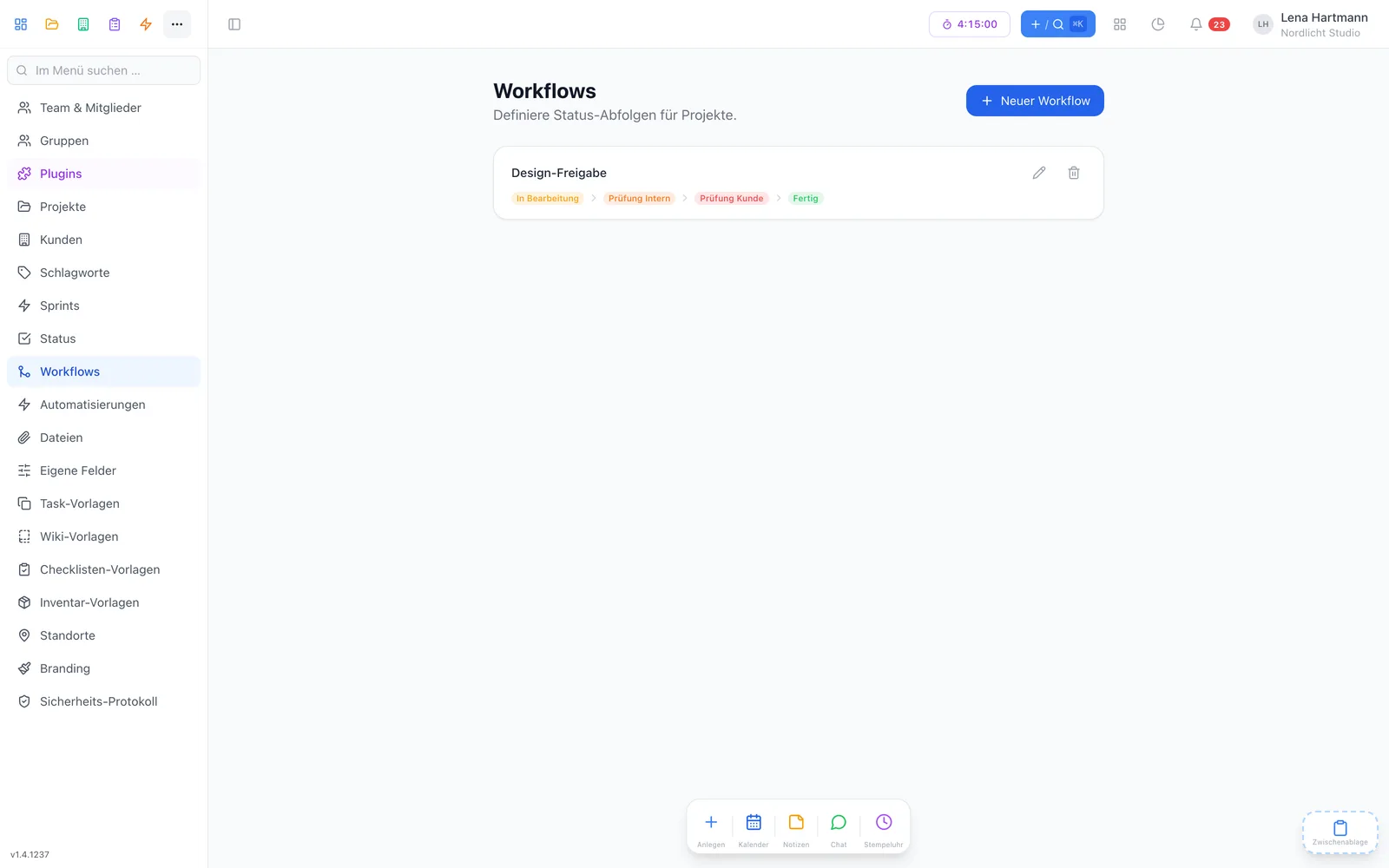
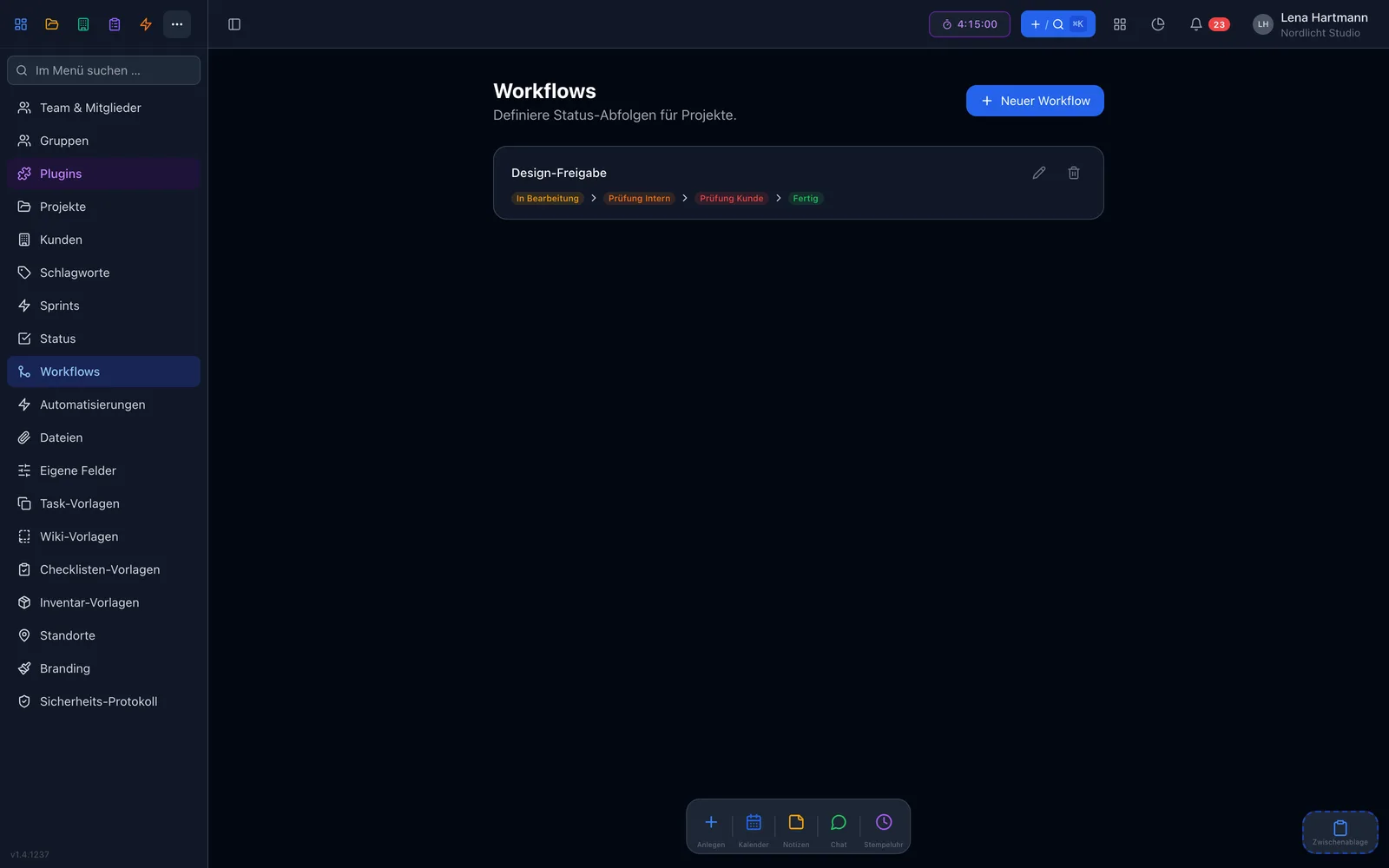
On the board, cards move from column to column with drag & drop. If the project has a workflow, the status only changes through its steps — so nobody jumps from “Draft” to “Done” by accident.

  • Your own statuses with colours
  • Workflow protection on the board
  • Subtask progress on every card
  • Drag files right onto the card
team.workyoo.com/admin/workflows
Workflow settings with steps Workflow settings with steps

Simple mode

Too much at once? Switch to simple.

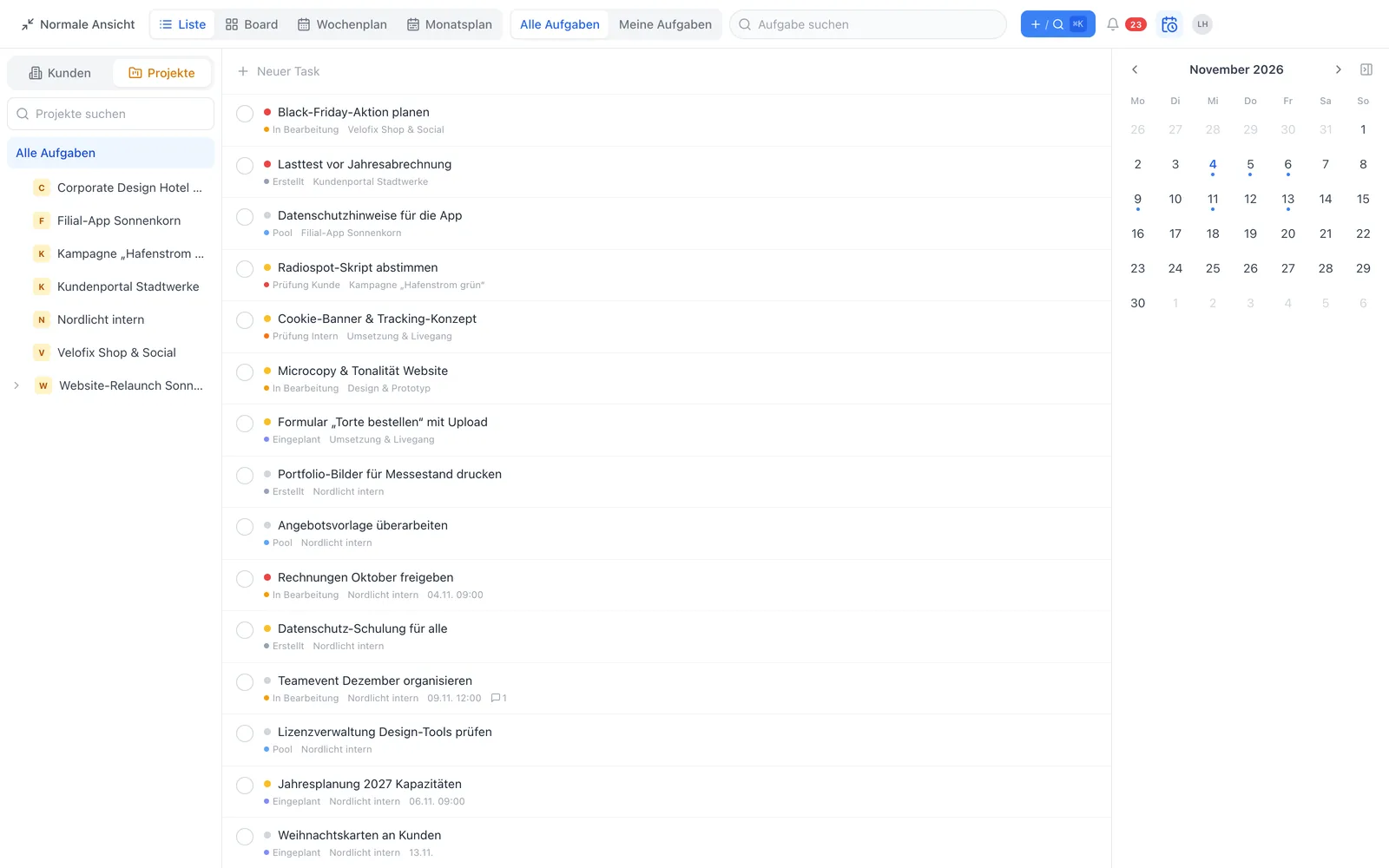
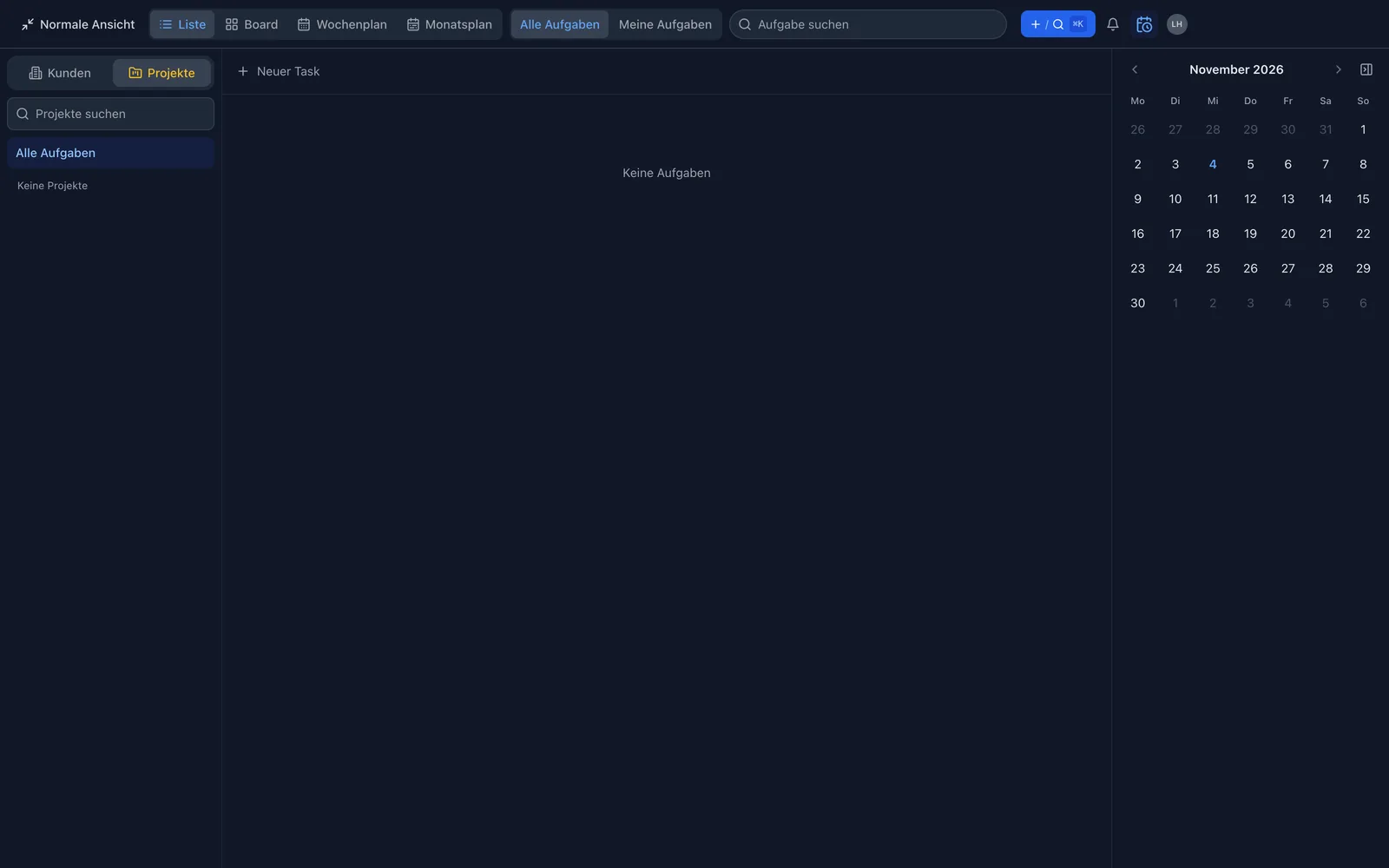
Simple mode hides everything you don’t need: customers or projects on the left, your tasks in the middle as a list, board, week or month, and a calendar on the right to drag tasks onto. Ideal for anyone who just wants to see their work.

team.workyoo.com
Simple mode with three columns Simple mode with three columns

One task, many places

Tasks right where you discuss them

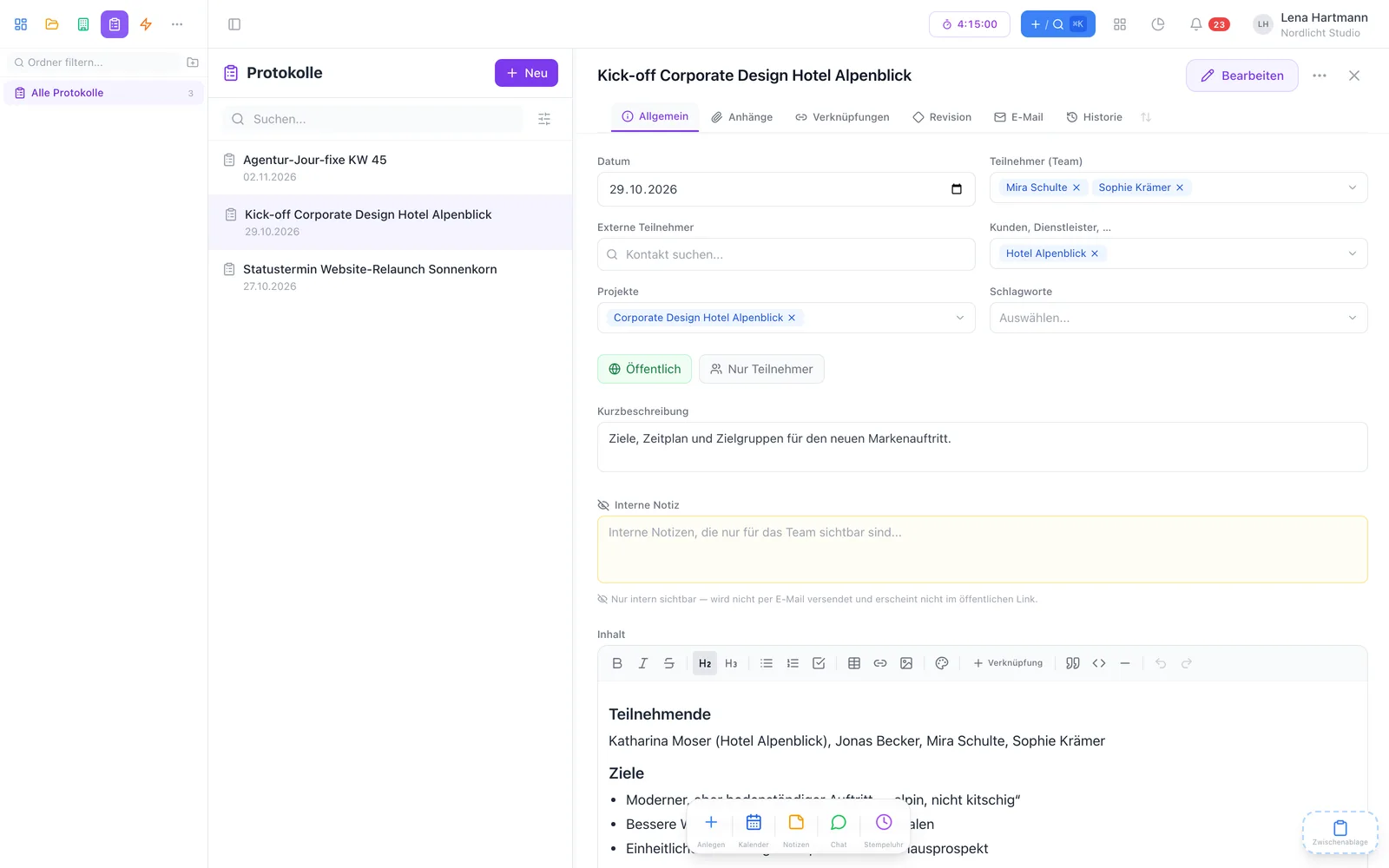
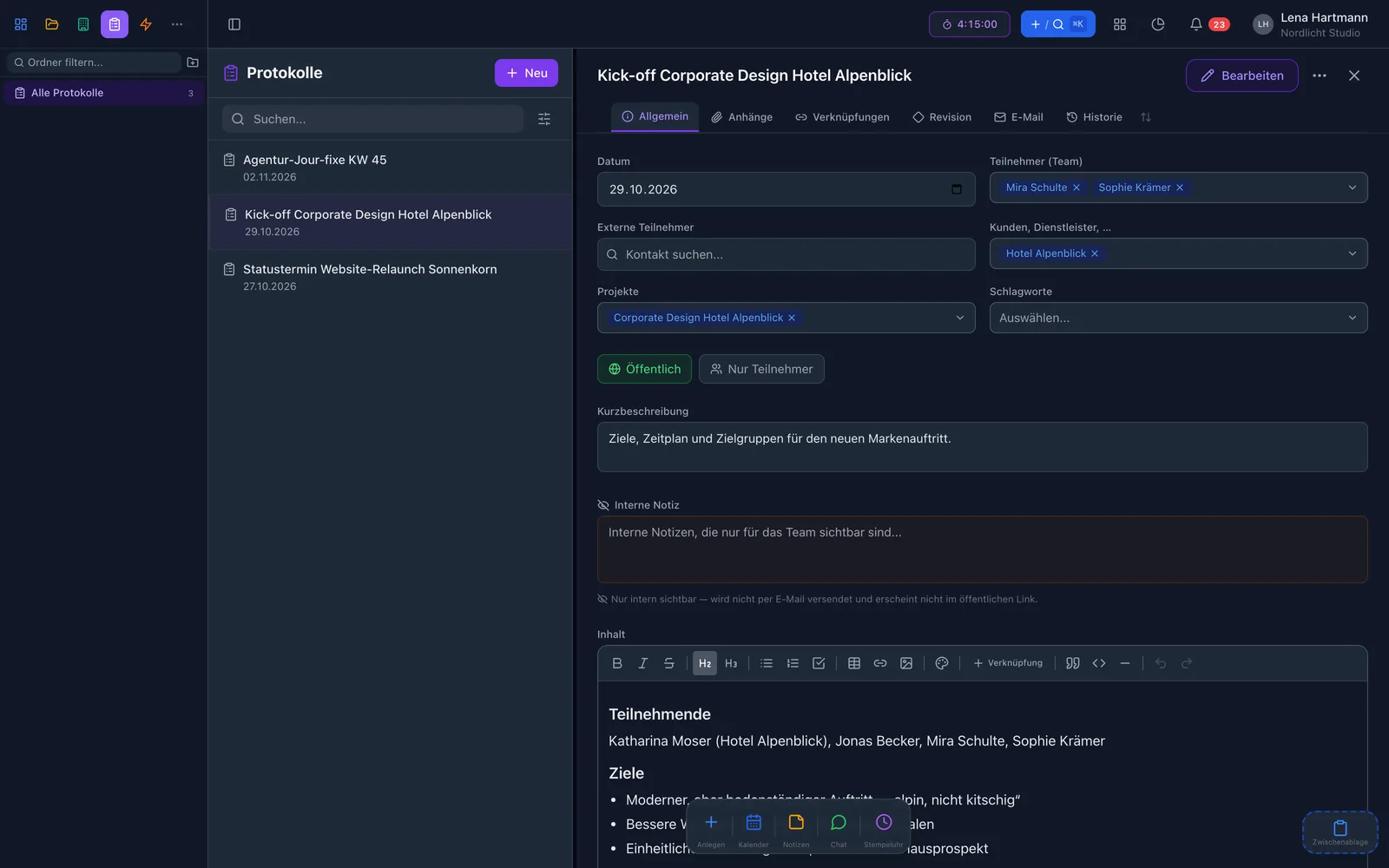
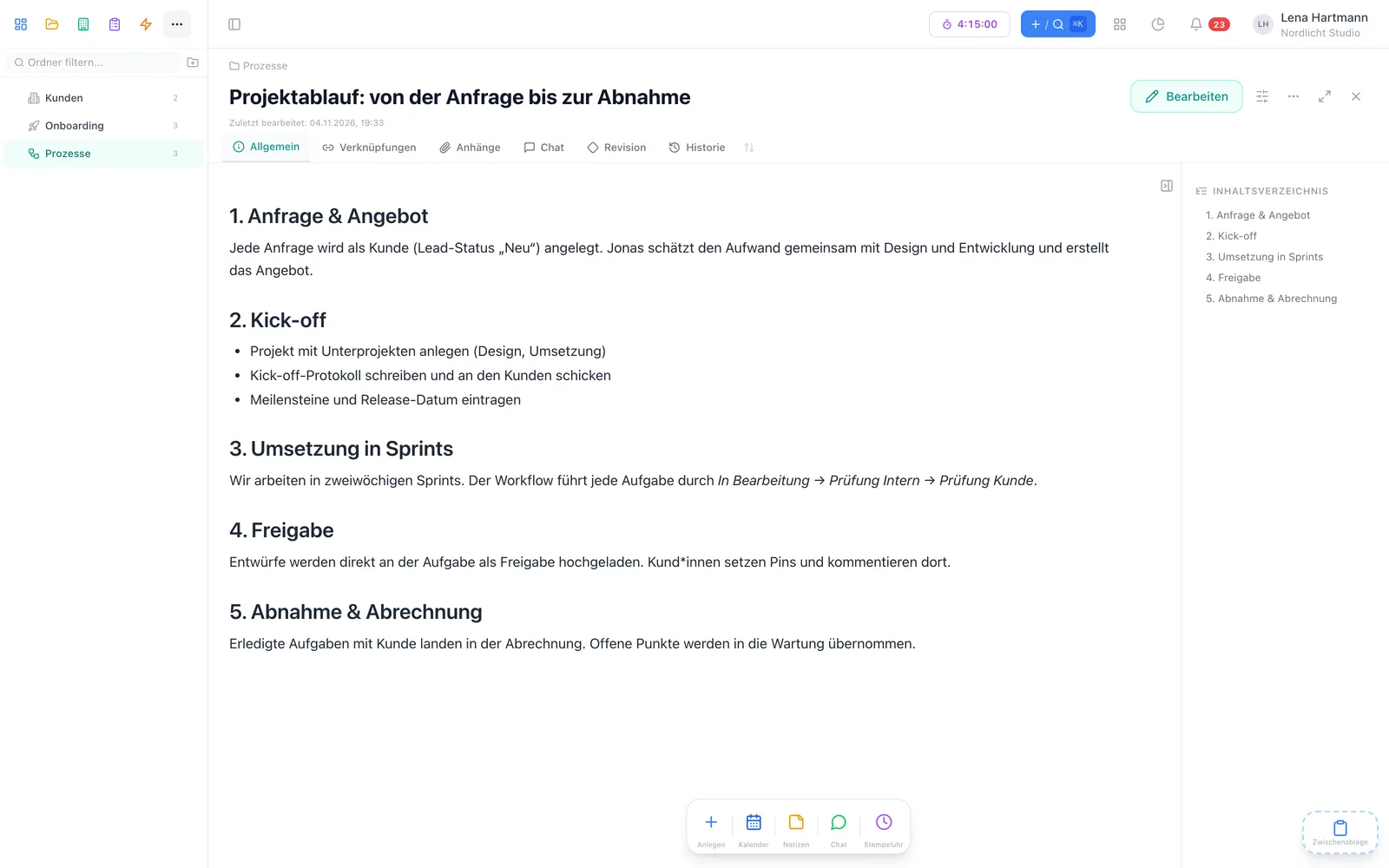
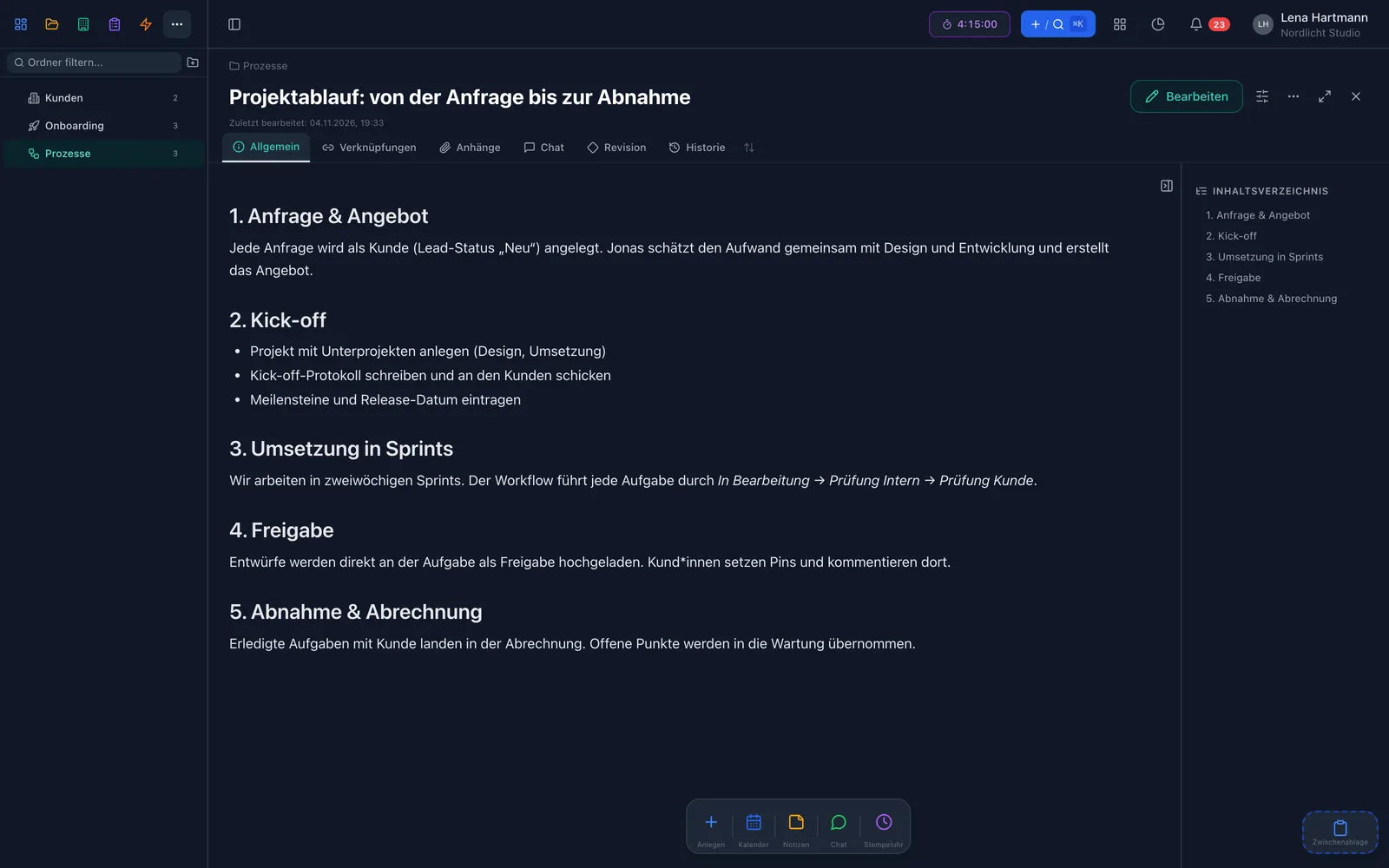
Create tasks right in the meeting minutes or embed them in a wiki page. They appear in every view — and stay visible in the minutes or wiki, with their current status.

team.workyoo.com/protocols
Meeting minutes with tasks Meeting minutes with tasks
team.workyoo.com/kb
Wiki page with embedded tasks Wiki page with embedded tasks
Luca

Luca · Technical writing & support

Build a team view with the filter assignee is me and share it. Every colleague sees their own tasks in it — and you still only maintain a single view.

FAQ

Frequently asked questions

Do views cost extra?

No. All views are included in every plan, even in the free Start plan for two members.

Can everyone on the team see my views?

Only if you share them. Every view starts out personal; anyone can sort shared views into their own folders.

How does the Smart Filter work?

You combine rules such as “project is …”, “deadline is today or earlier” or “tag contains …” and decide whether all or any of them must match. You can filter on custom fields, too.

What does team workload show?

The planned hours per person and day of a week, coloured from free to overloaded. Daily capacity is adjustable and tasks can be rescheduled with drag & drop.

Is a task duplicated if I create it in the minutes?

No. It stays one task — it lives in the minutes and shows up in all matching views at the same time.

Works great with

Find your favourite view

All views, one tool. Try workYoo for free with your team.

Start free See pricing