Modules · Customers & contacts
Manage customers, contacts and leads right next to your tasks. Write meeting minutes, send them by email and give customers insight into their projects.
2 members free · Cancel monthly

Highlights
Address, website, contacts, category, tags and lead status.
All contacts in one place, with academic title, custom fields and import from Excel or CSV.
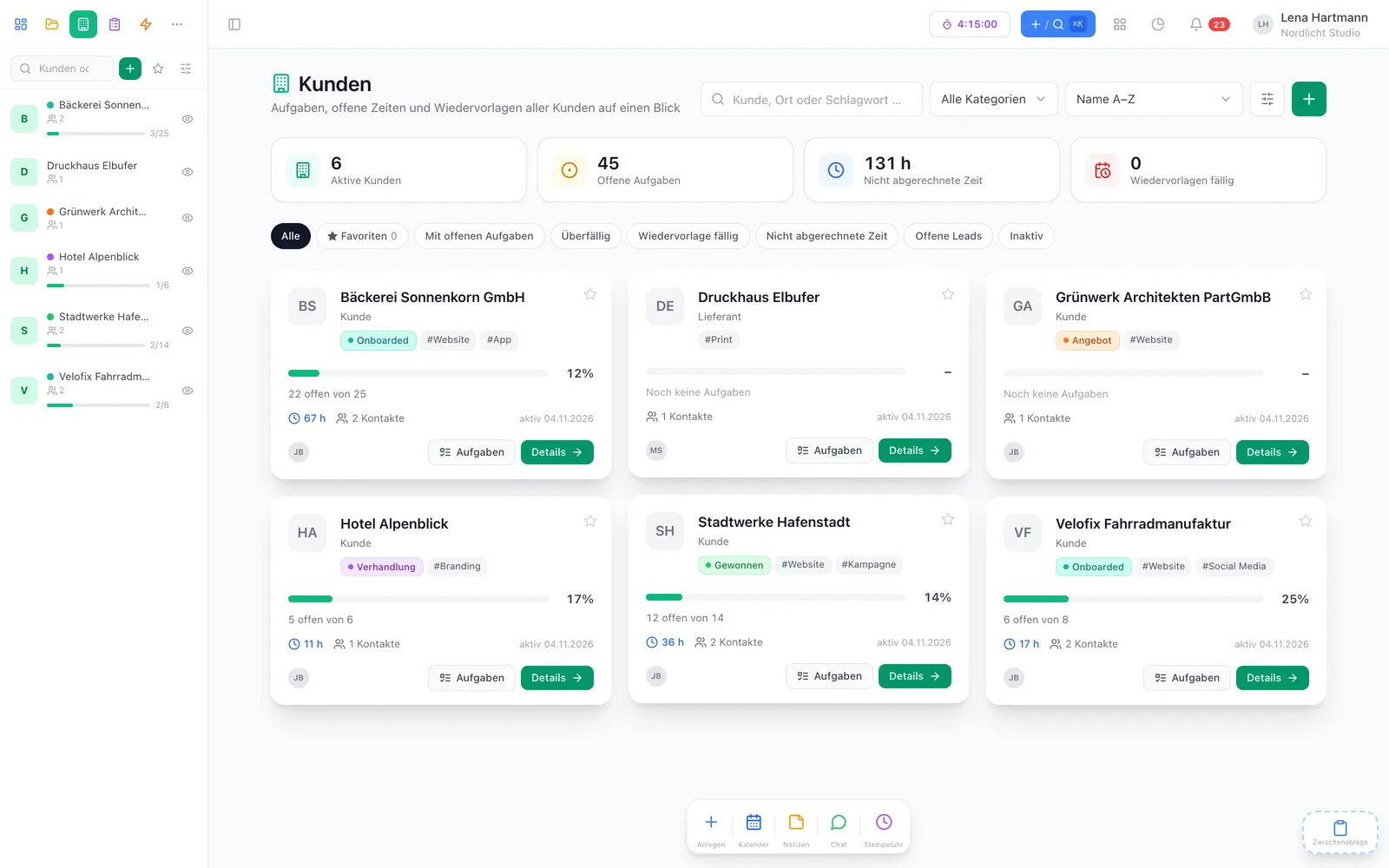
Open and overdue tasks, due follow-ups, unbilled time — filtered with one click.
Your most important customers come first — in the overview and in the sidebar.
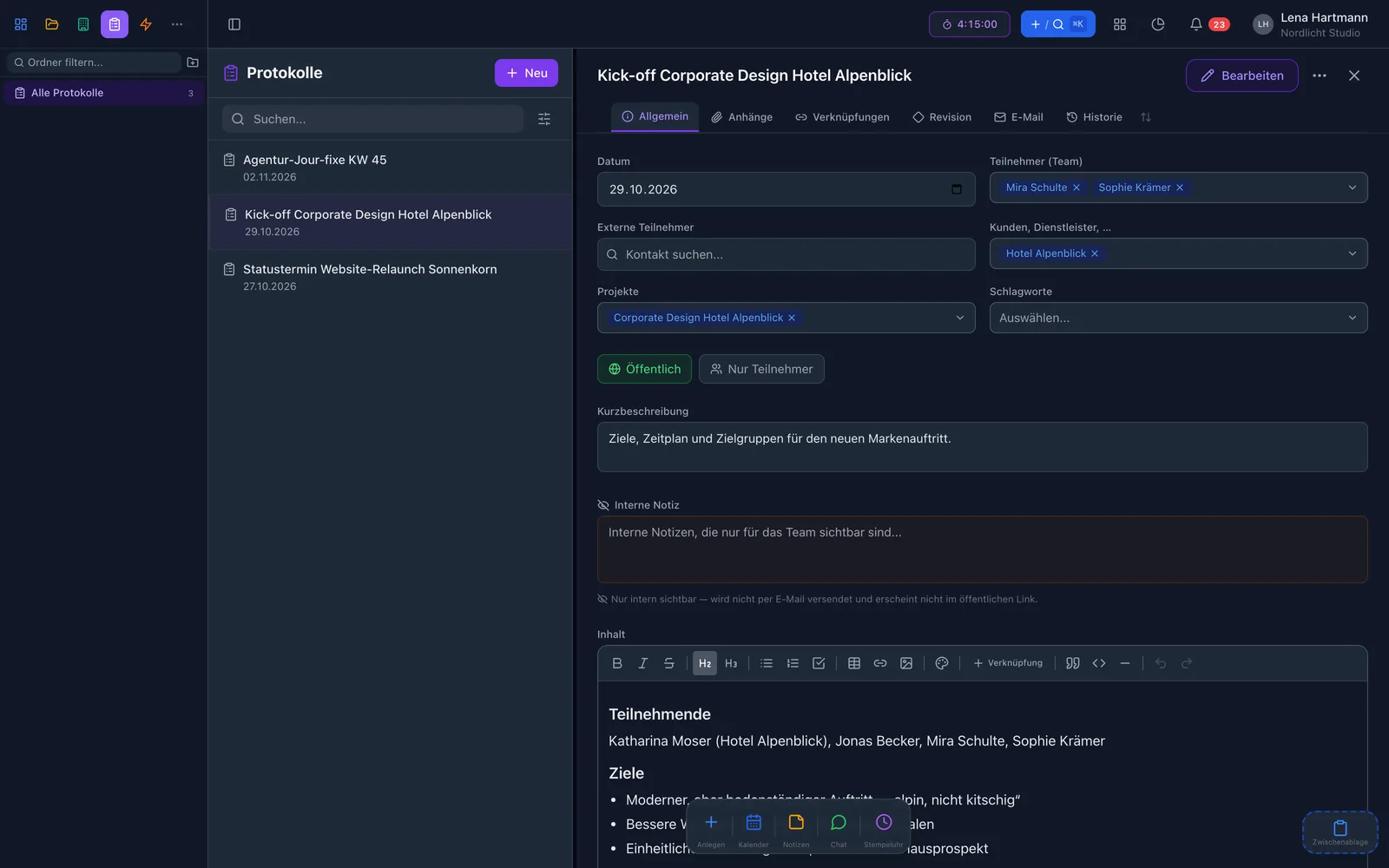
With participants, tasks and an internal note — shared by email or link.
With their own login, customers only see their own projects and tasks.
Views
Click through — the same customers, three perspectives.


Customers
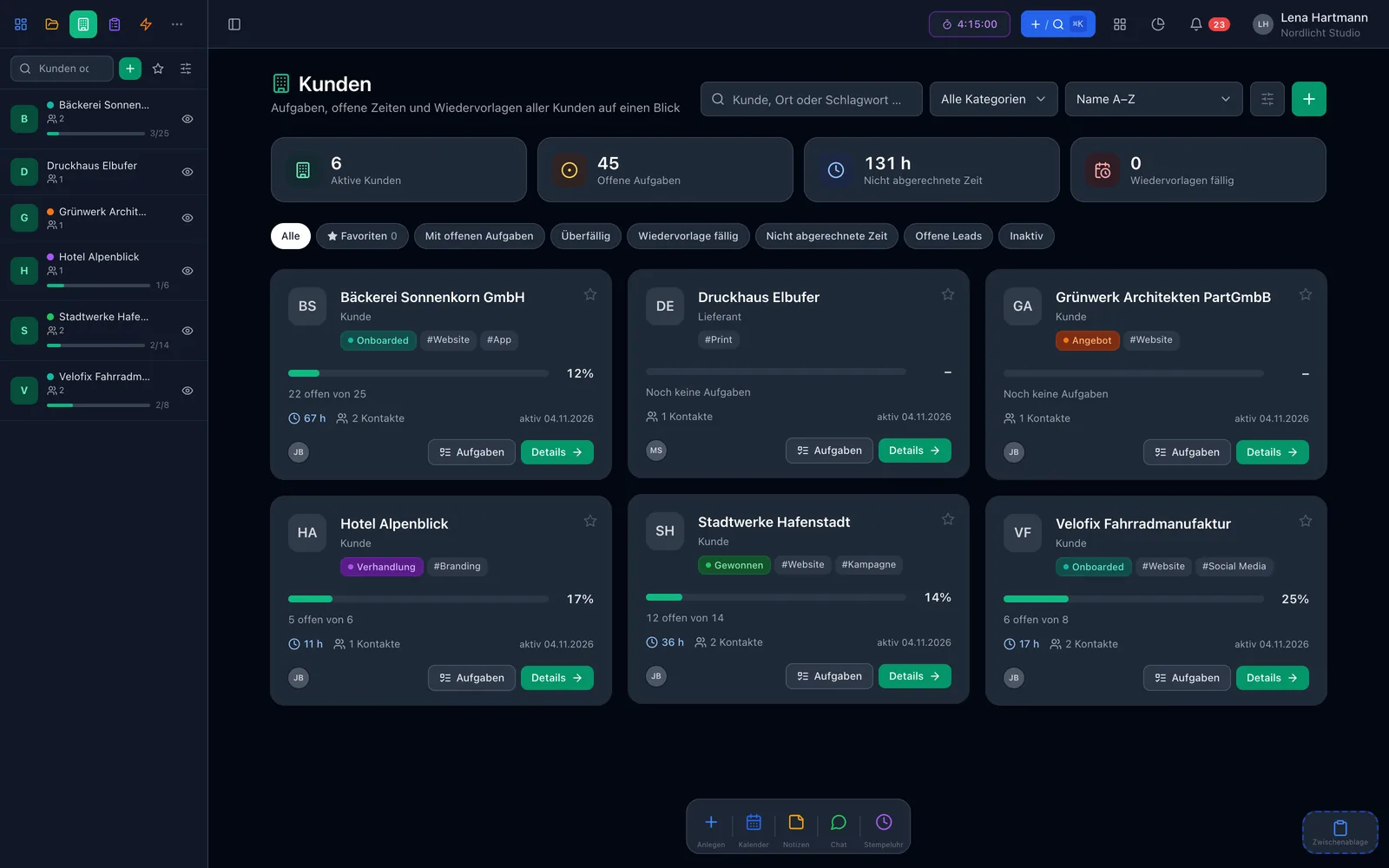
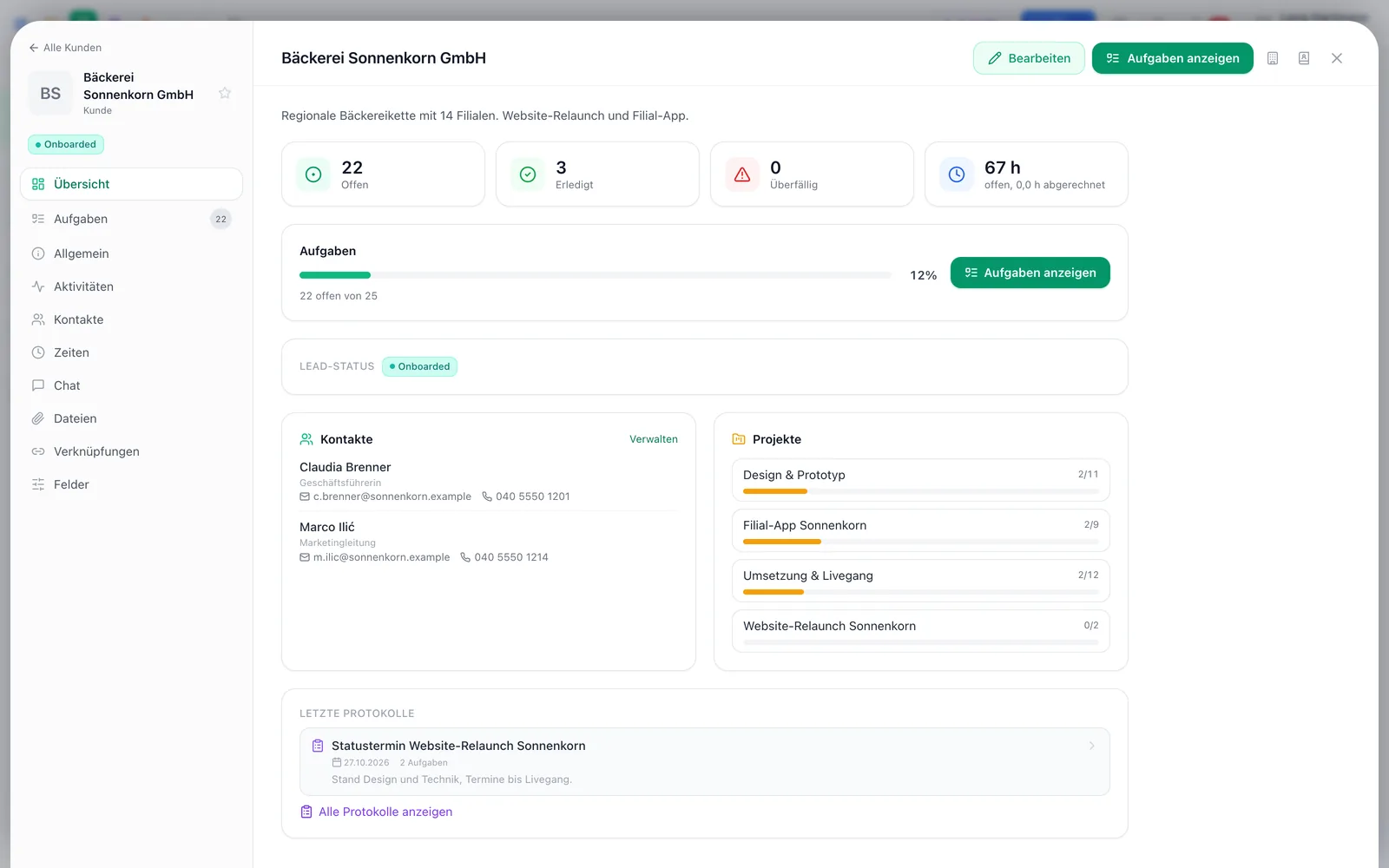
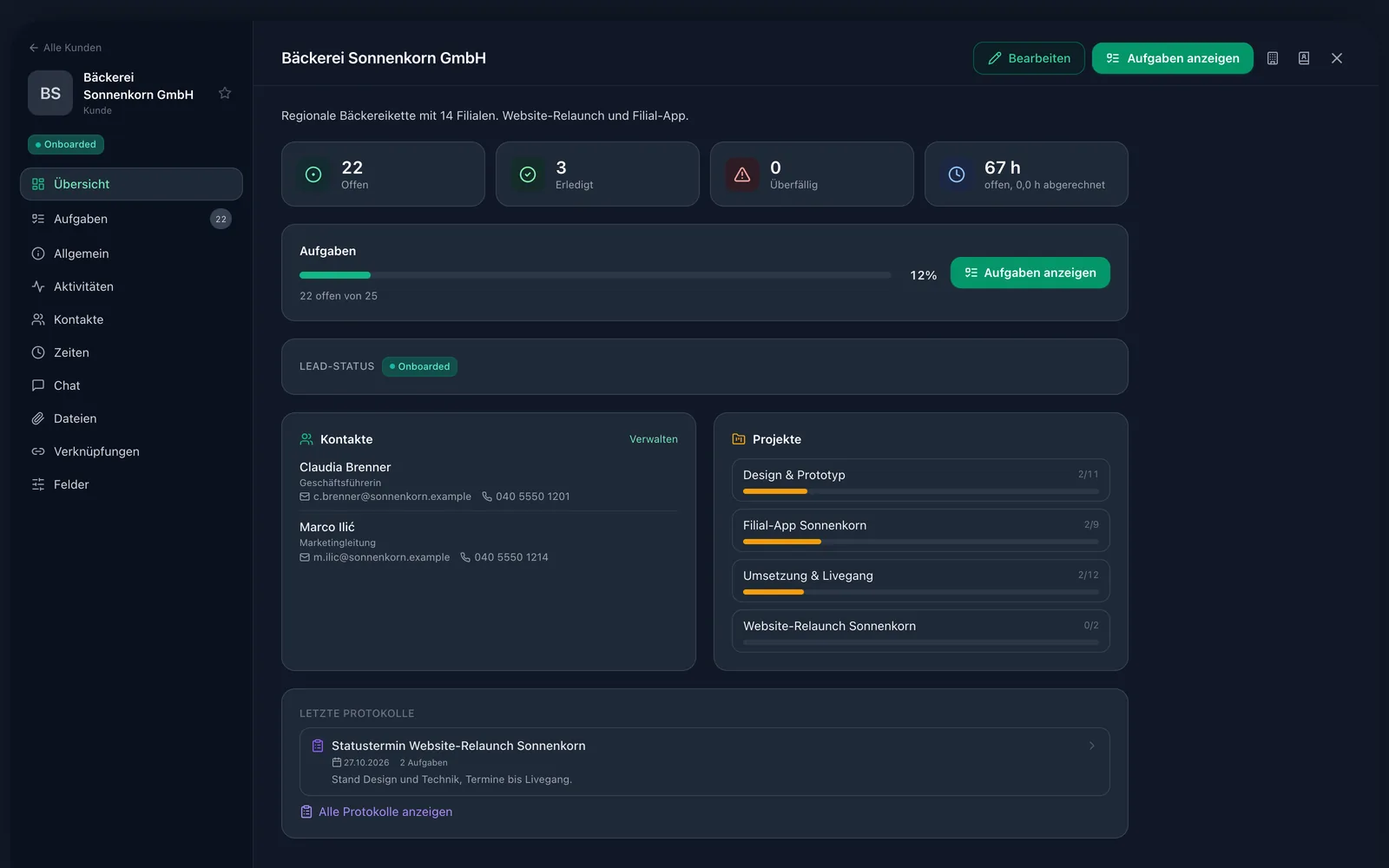
The customer overview shows every customer as a card: open, done and overdue tasks, unbilled time, contacts, follow-up and last activity. One click opens the customer details as a page of its own.
Minutes
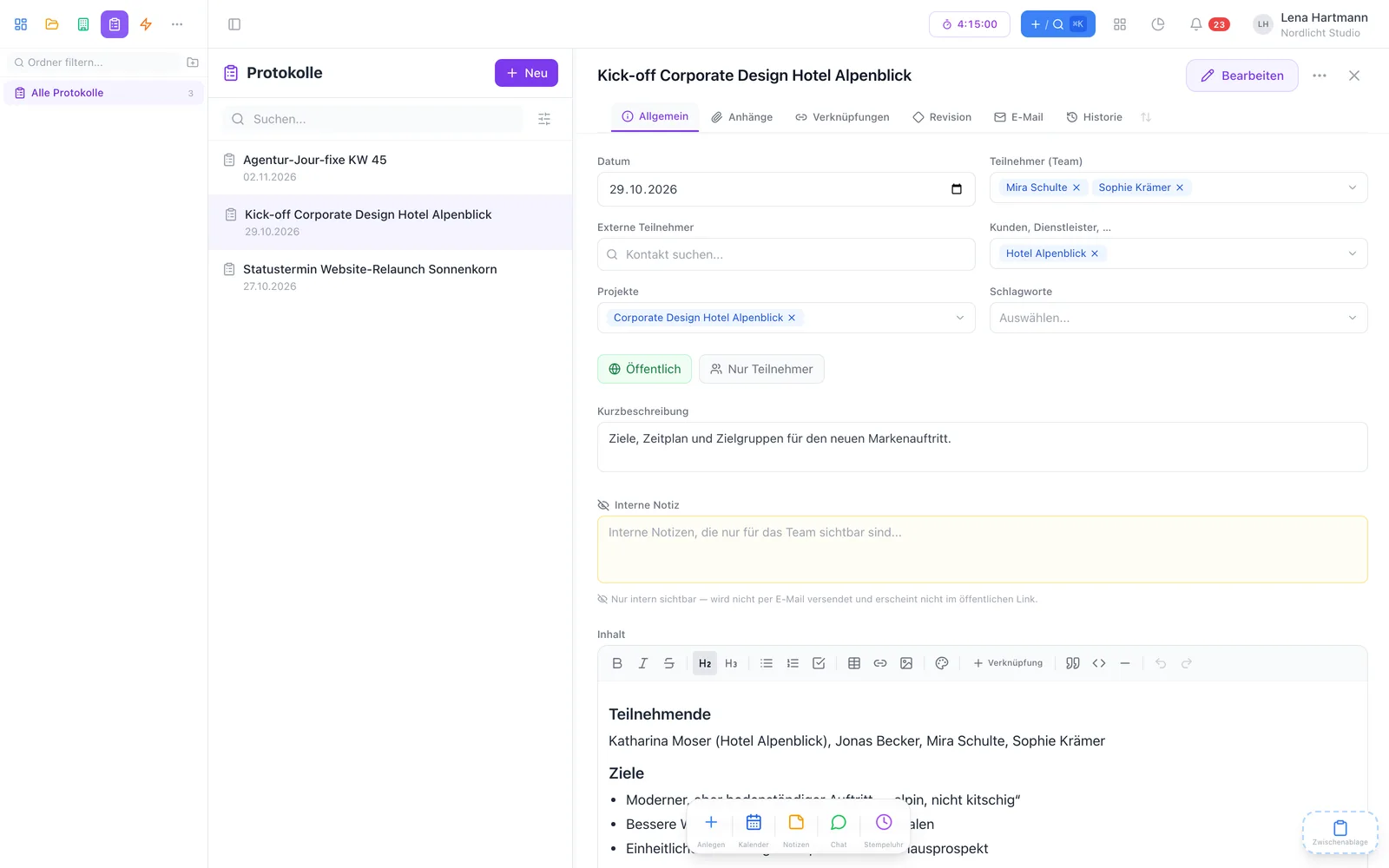
Write minutes with participants, tasks and an internal note. The address book suggests external participants, and you create new contacts while writing. Tasks from the minutes inherit customer and project automatically.

Sharing
Send the minutes straight from workYoo to internal and external participants — with participant list and task table. Or create a link customers can read without logging in. The internal note always stays hidden.
Customer portal
With the customer portal plugin, give customers insight into their projects. With their own login they only see their projects and tasks — nothing from other customers. Ideal for agencies.

In three steps
Pick customer, project and participants — external ones come from the address book.
Text, decisions and tasks right in the minutes, internal matters in the internal note.
Email it to all participants or create a link for the customer.
Chris · Customer success & support
My tip: mark your most important customers with the star. Then they always appear at the top of the overview and the sidebar.
FAQ
For many teams, no: customers, contacts, leads, follow-ups and minutes are built into workYoo — linked to tasks, projects and time.
Yes, from an Excel or CSV file. A downloadable template helps you map the columns.
No. Internal notes appear neither in the email nor in the public link. The link is read-only and expires after the chosen time.
Only the projects and tasks that belong to them — nothing from other customers. They sign in with their own login.
Yes, for customers and address-book contacts — for example text, number, date or choice. More on the CRM page.