Modules · Org chart

Who does what — and who stands in for whom?

A position-based org chart: positions are the source of truth, people are assigned to them. With reporting lines, deputies, PDF export and a “My positions” page for every team member.

Start free See features

Free plugin · ISO 9001:2015 §5.3 · 2 members free

team.workyoo.com/org
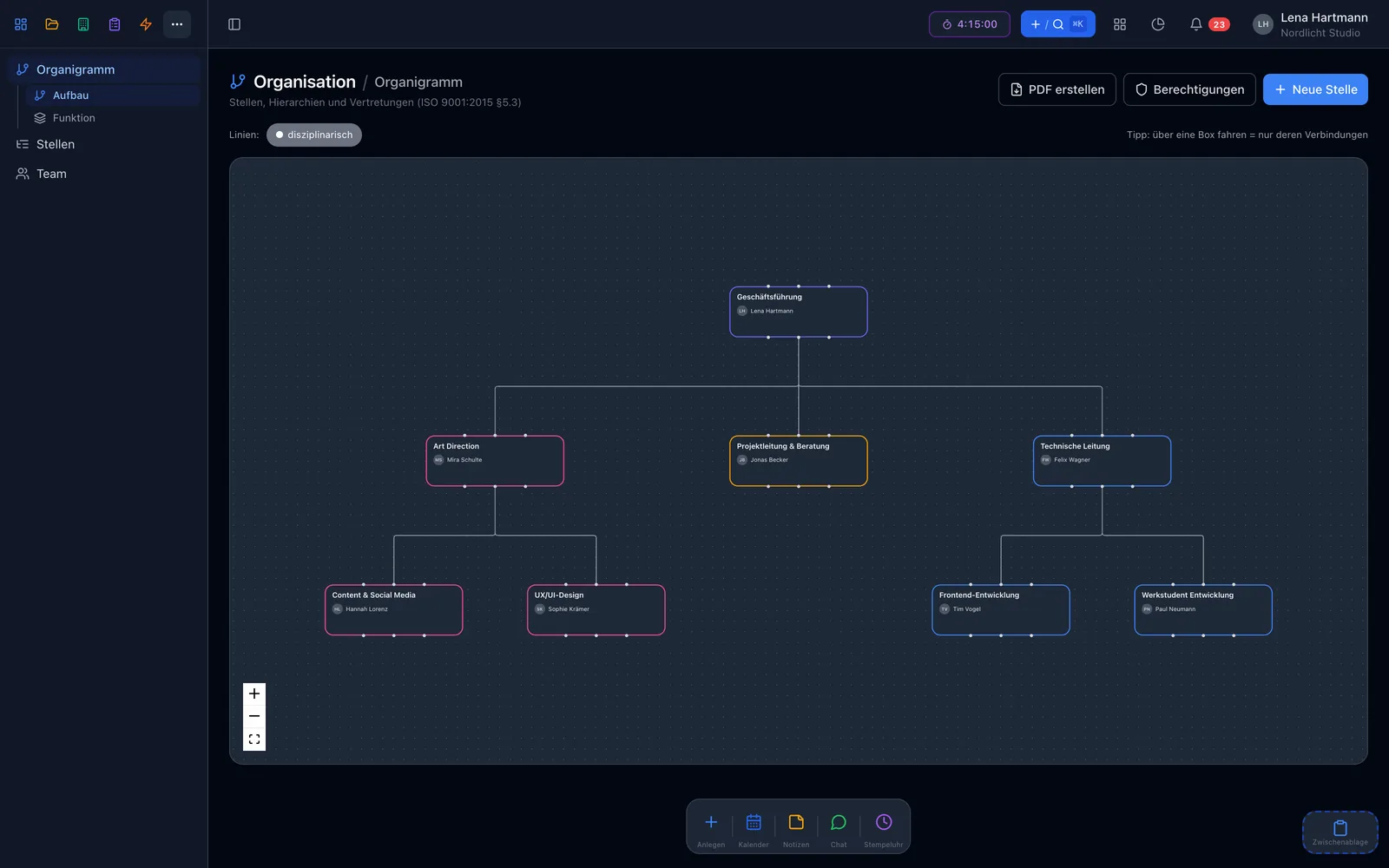
Interactive org chart with positions and reporting lines Interactive org chart with positions and reporting lines

Highlights

Everything at a glance

Position-based

Positions are the source of truth, people are assigned — just as ISO 9001:2015 §5.3 expects.

Three kinds of reporting lines

Disciplinary, functional and escalation — even several per position, cleanly separated in the chart.

Deputies & leave

When you request leave, workYoo warns you if someone you stand in for is off at the same time.

PDF export

The chart and every job description as a clean PDF using an ISO template.

My positions

Every member sees their positions: who stands in for me, whom I stand in for, whom I report to.

Permissions

View and edit per member and group — enforced on the server.
Positions, not people

The position is the source of truth

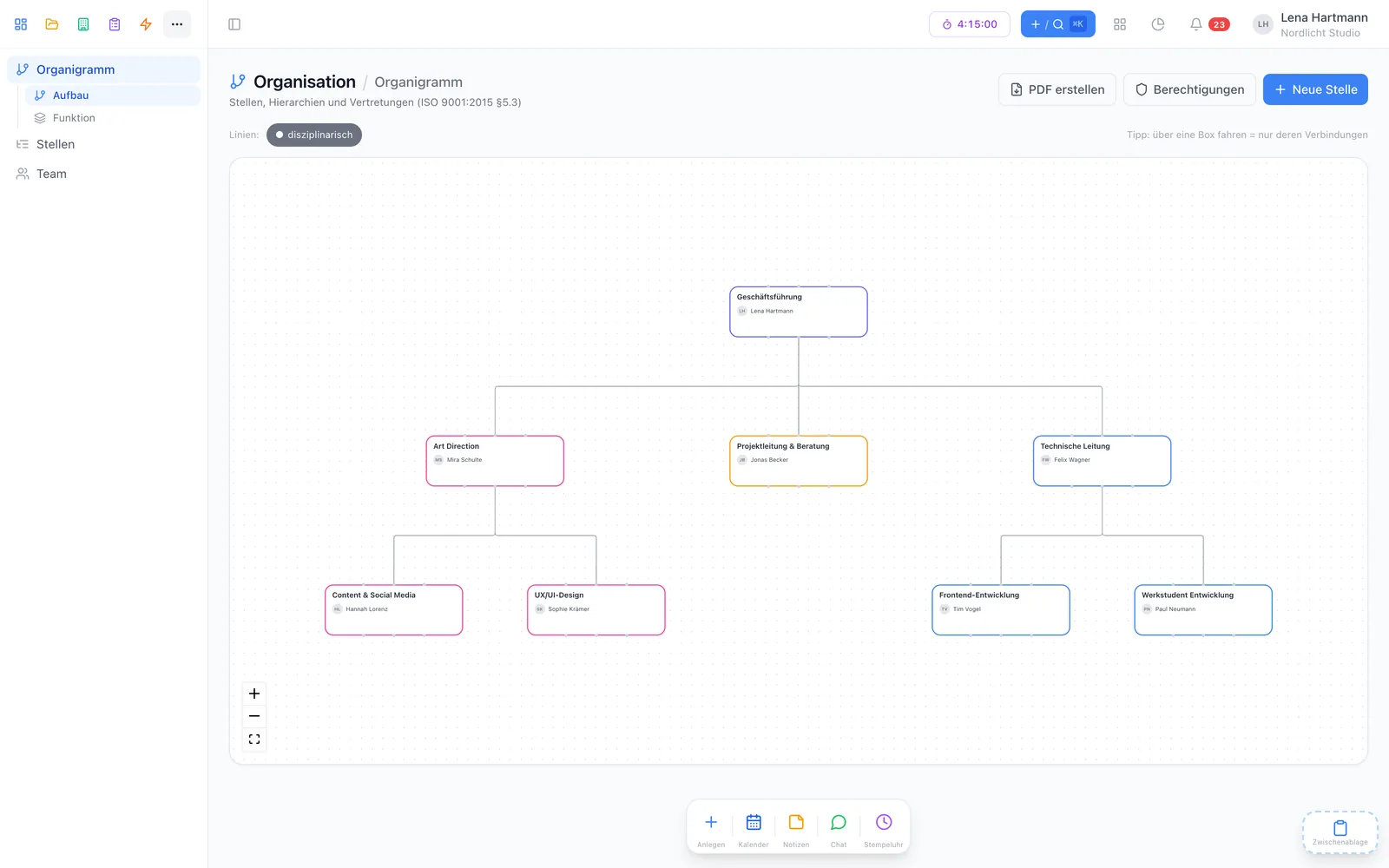
You model positions with a description, duties and requirements and assign team members to them. When someone leaves, the position stays — including hierarchy and deputies.

  • Description, duties and requirements per position
  • Several holders per position, for example in job sharing
  • Colour and icon per position for quick orientation
  • Change history and archiving
team.workyoo.com/org
Org chart with positions Org chart with positions

Hierarchies

Reporting lines as they really are

A position can report to several others — disciplinary, functional and as escalation, for instance to an external data protection or information security officer. Structure and function views, line layers and a focus mode keep the chart readable.

  • Functional areas for grouping
  • External people (DPO, ISO) without a team account
  • Show and hide lines, focus on hover
  • Positions in the ⌘K search

Reporting lines

Three lines, cleanly separated

Disciplinary

Who is the line manager?

Functional

Who sets the direction on the subject matter?

Escalation

Where to turn when it gets serious — external too.

Deputies & leave

Deputies meet time tracking

Define which position stands in for which — or whether the holders of one position cover each other. With time tracking active, workYoo warns about overlaps when someone requests leave, and admins see the exact days when approving.

  • Deputies position → position, internal and per role
  • No warning if another deputy is available
  • Notice for positions without any deputy
  • Deputy info also in the team view

For every team member

“My positions”

A page of its own in the menu — even for those who are not allowed to see the full org chart.

  • Who stands in for me and whom I stand in for
  • Whom I report to and who reports to me

How it works

Your org chart in three steps

Create positions

With description, duties, requirements — and optional functional areas.

Add lines and deputies

Who reports to whom, who stands in for whom. External officers work without a team account.

Assign people

Put team members on the positions — done. The PDF for your audit is one click away.

Luca

Luca · Technical writing & support

“Start with the positions, not the names. When someone changes teams, you only move one person — description, lines and deputies stay in place.”

FAQ

Frequently asked questions

How much does the org chart cost?

The plugin is free. You only pay for regular members: 2 are free, from the 3rd each costs €3.50 per month, net.

Does it help with ISO 9001?

The org chart follows ISO 9001:2015 §5.3 (roles, responsibilities and authorities), and job descriptions can be exported as PDF using an ISO template.

Can I include external officers?

Yes. External people such as data protection or information security officers can be added without a team account and connected via an escalation line.

Who can see the org chart?

You decide per member and group (view or edit). Every member sees their own “My positions” page — even without access to the full chart.

Do I need time tracking?

No. But with time tracking active, you also get warnings when your leave overlaps with your deputies.

Works great with

Clear responsibility, reliable cover

Activate the org chart free for your team.

Start free See pricing