Modules · Approvals
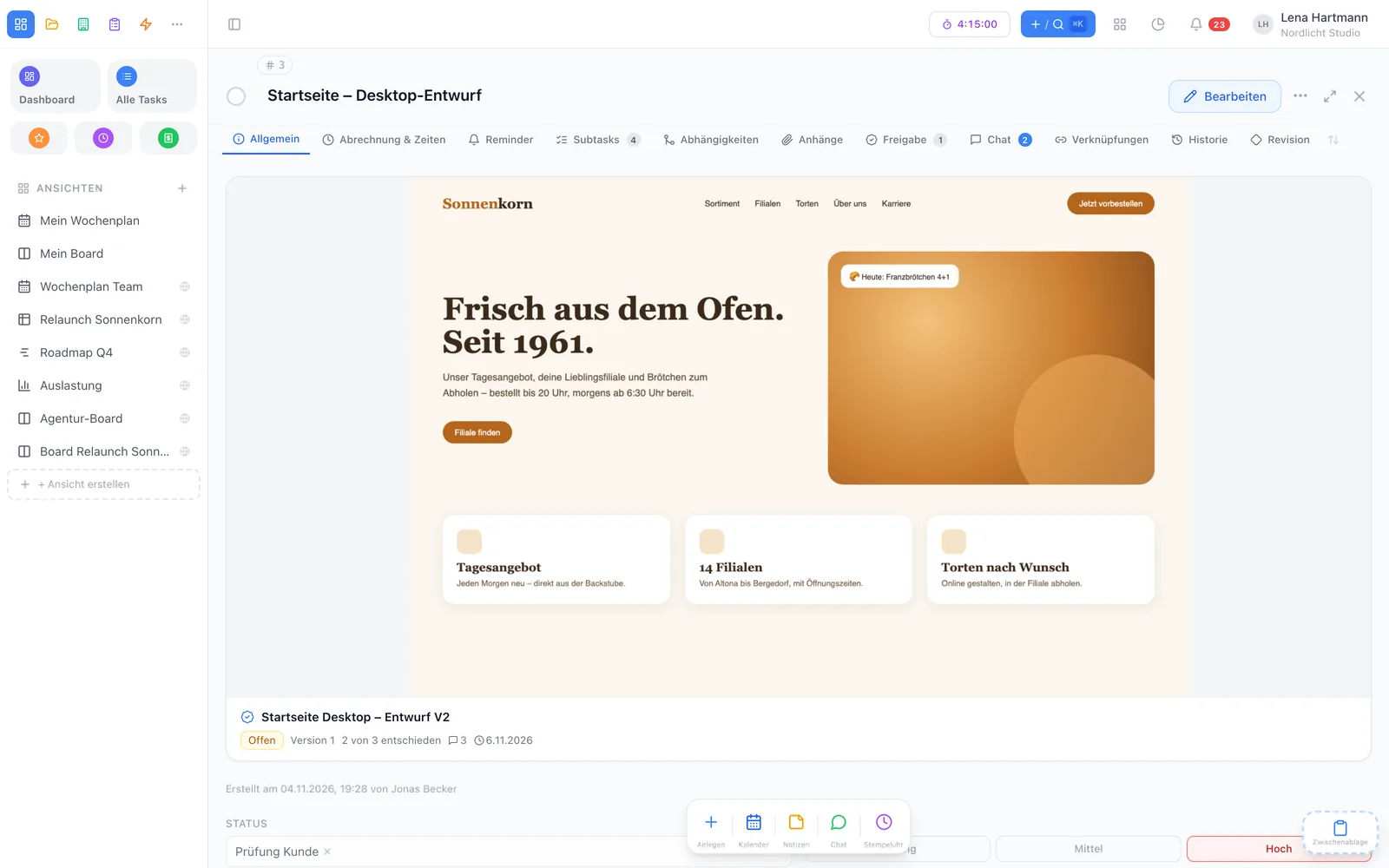
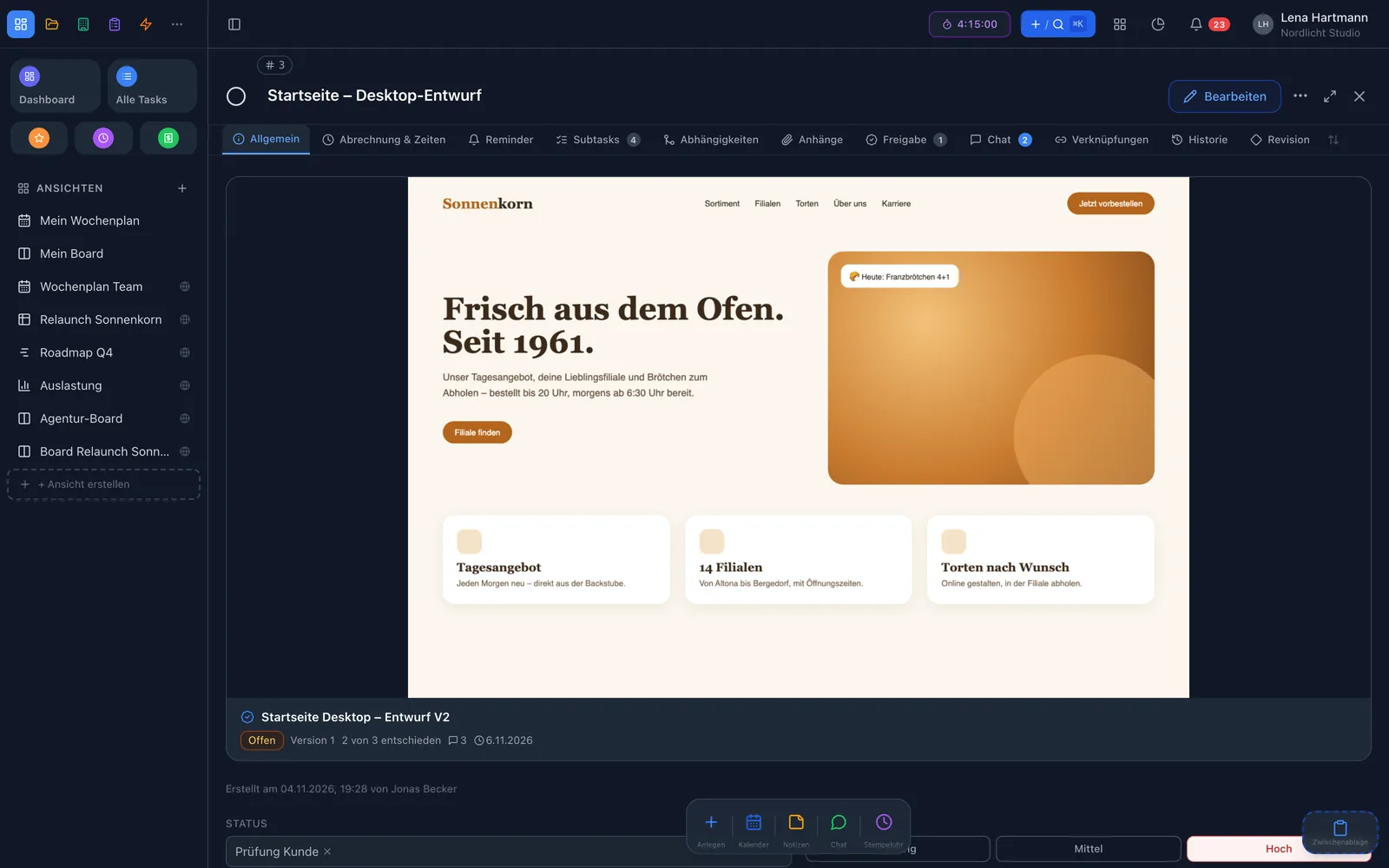
Flyer, poster, trade-fair wall or brochure: attach the artwork as an image or PDF to the task, and your team marks right on it what needs to change — until it is clearly approved. No more “see page 3, top left”.
Plugin · free · 2 members free
Everything at a glance
The artwork sits large on the task, PDFs page by page with zoom.
Comments right on the artwork — with replies and “resolved”.
Everyone, any one or in sequence — set per approval.
Open items move along, compare side by side or with a slider.
Two days before the deadline, to all required reviewers who haven’t decided yet.
Visible only to those who can see the task. Every decision is logged.
On the task
The approval belongs to the task it is about. Anyone who opens the task sees the artwork large at the top — with status, version, open comments, deadline and a “your turn” hint. One click opens the full-screen review. A task can hold several approvals, for example a flyer and a poster.

Mark up
One click sets a pin, dragging marks an area. The pin shows the face of whoever set it and the number of replies. Every comment is a small thread: reply, mark it resolved or turn it into a subtask with one click. For feedback on the whole piece there are general comments.
Jen · page 1
Please make the logo a little bigger and move it to the left.
Chrissy
Done in version 2 ✓
Example of a comment with a reply
Decide
Every reviewer decides with one click: approved, approved with changes or rejected — with a comment if they like. For each approval you define when it counts as approved: all required reviewers, any one approval, or in sequence by stages (first the department, then management). Every decision is recorded with a timestamp.
Your decision · version 2
Rule: in sequence · stage 1 marketing · stage 2 management
How it works
Drag an image or PDF into the “Approval” tab, pick reviewers, rule and deadline.
The team sets pins, discusses in the thread and decides with one click.
File the correction as a new version — open items move along until everything is approved.
Versions
When the corrected draft arrives, file it as a new version — with a button or by drag & drop into the review. Open comments move along, resolved ones stay with the old version. Decisions apply per version, so the team reviews the new draft from scratch. The comparison puts two versions side by side or on top of each other with a slider.
Nobody forgets anything
Whoever’s turn it is gets a message in the notification centre and by email — with a button that opens the review directly. Two days before the deadline, workYoo reminds the required reviewers who are still missing. The automation plugin takes it further: once approved, the task can, for example, move to the next workflow step.
Before · after
FAQ
Nothing. The approvals plugin is free and can be activated for the whole team under Admin → Plugins.
Images as JPG, PNG, WebP or GIF, plus multi-page PDFs. Every file is checked, virus-scanned and stored encrypted.
Exactly the people who can see the task — no exceptions. If a reviewer wouldn’t have access, you can add them to the task as an assignee right away.
No, reviewers are members of your team. That way an approval is just as protected as the task itself.
Open comments move along, resolved ones stay with the old version. All decisions start over, because every version is reviewed afresh.
Yes. In workYoo GO you can see approvals on the task and decide right away.