Home · iPhone app workYoo GO

Your working day on your iPhone

workYoo GO is the companion app for workYoo. On the go it makes the most frequent things quick: clocking in, ticking off tasks, keeping an eye on appointments and leave, jotting down a note. Everything else you do as usual in the browser or the Mac app.

Get it on the App Store See iPhone Duo

Free · iOS 17 or later · requires a workYoo account · app language German

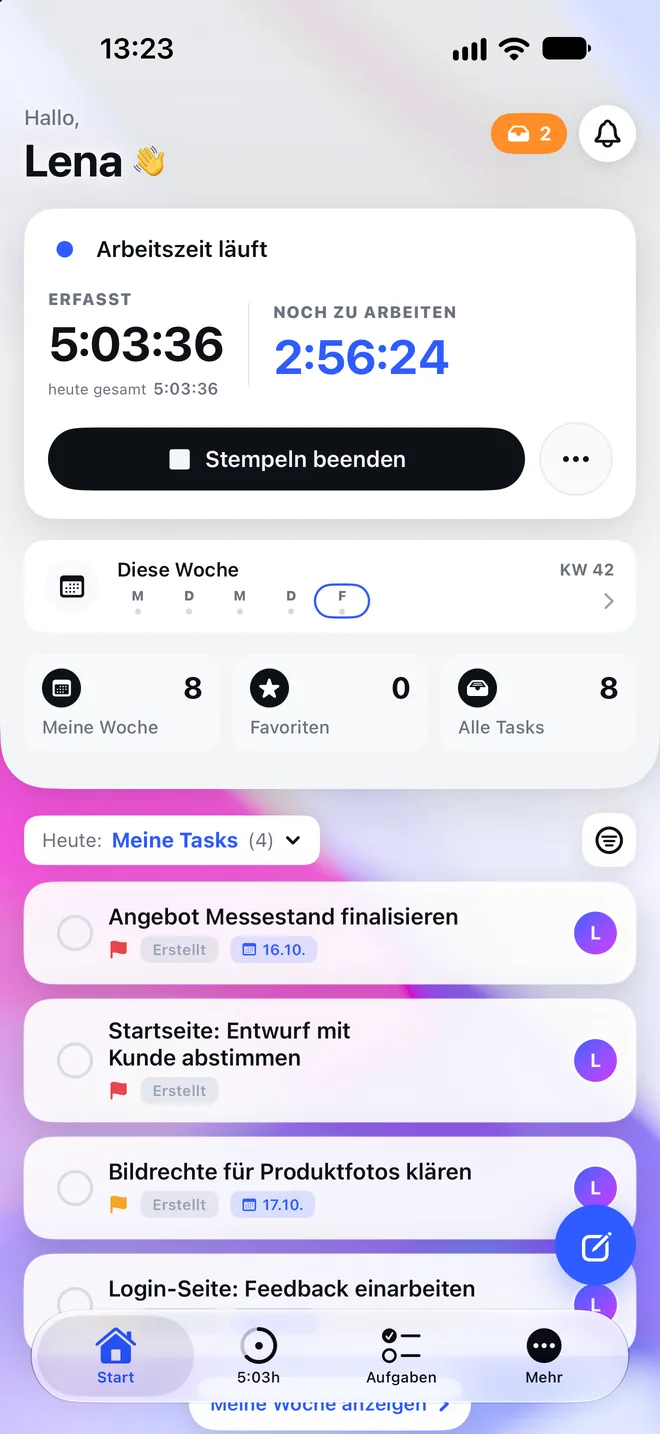
workYoo GO: home screen with running time clock and today’s tasks

Everything at a glance

What workYoo GO can do

Working time

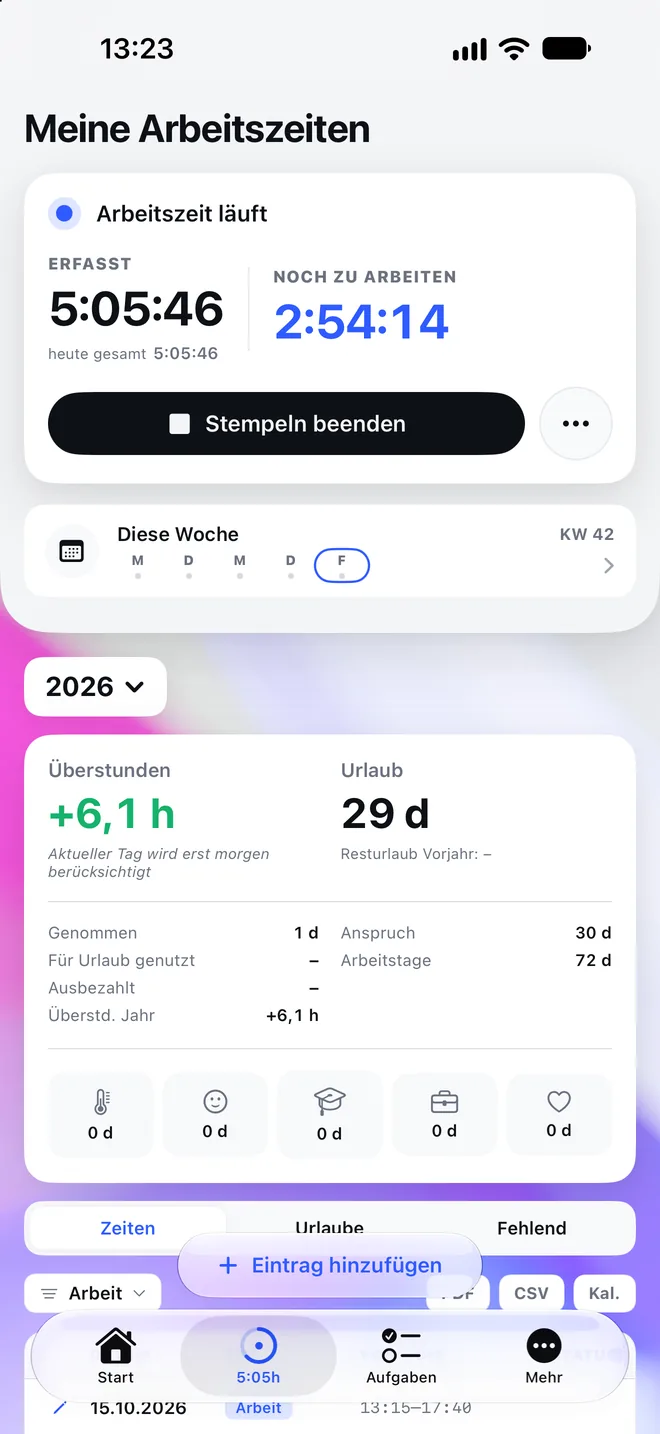
Clock in with one tap, including work location. Add entries later, monthly overview with balance, overtime and remaining leave.

NFC time clock

Sticker on the office door, hold your iPhone to it, clocked in. The app writes the sticker itself.

Tasks

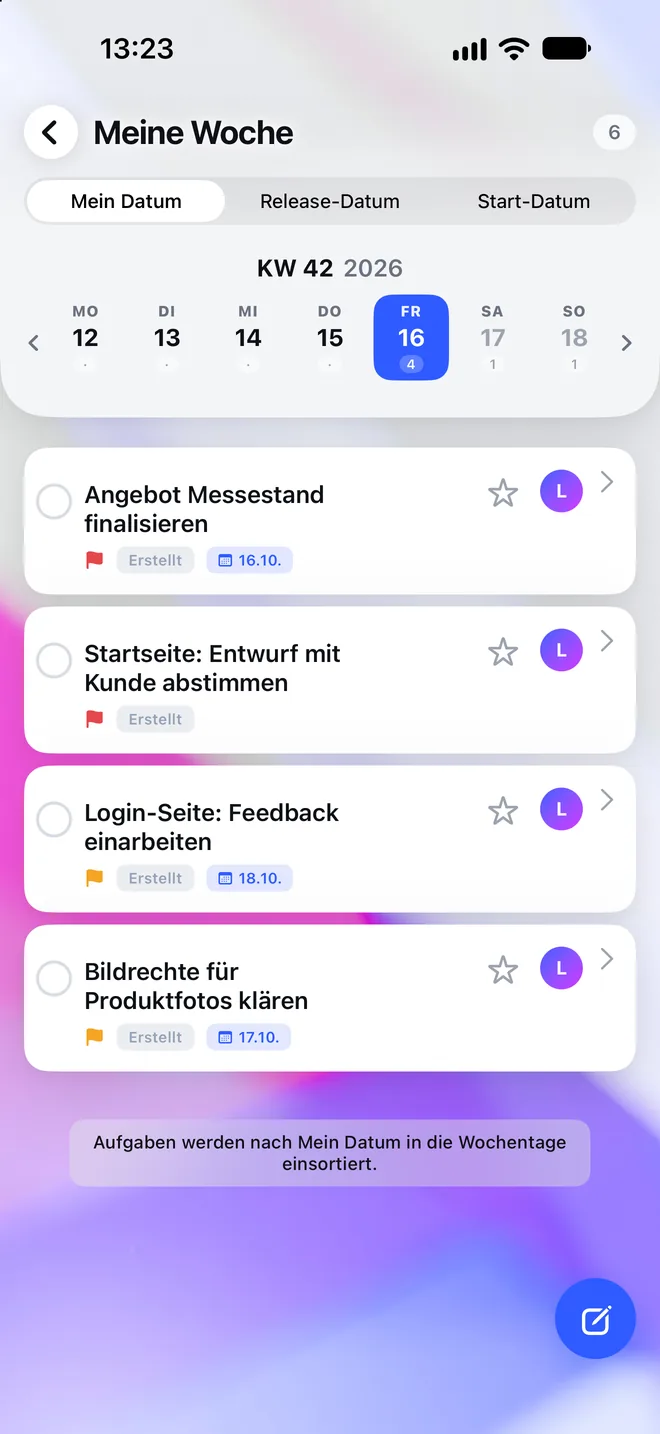
Today and this week at a glance. Tick off, reschedule, quick entry, saved views from workYoo.

Appointments & leave

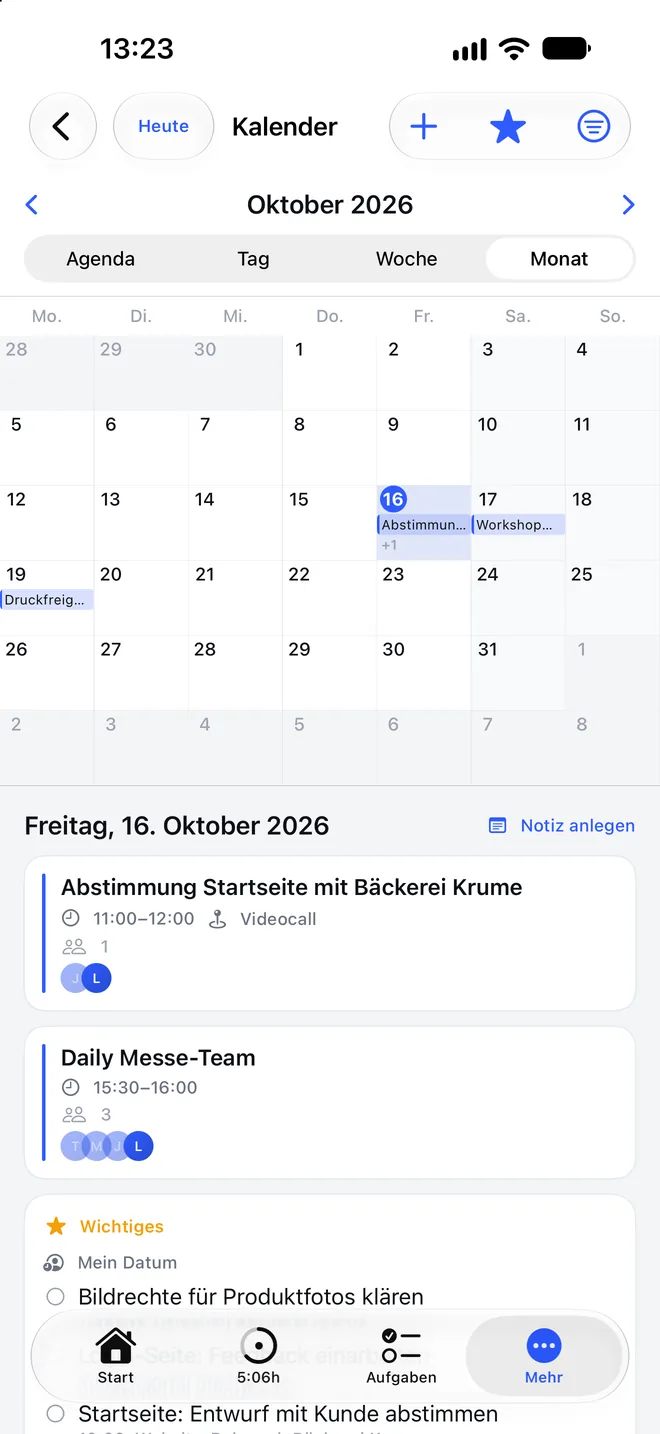
Calendar with invitations to accept or decline. Record leave, sick days and business trips.

Office days & notes

Office plan: who is in the office when. Personal and shared notes from workYoo.

Widgets, Live Activity, Siri

Running time on the lock screen and in the Dynamic Island, widgets, shortcuts via Siri.

A look inside

Built for what matters on the go

Not the full scope of workYoo, but the overview for your day.

Working times with balance, overtime and leave
Working timesBalance, overtime, leave
My week with tasks by day
My weekTasks by day
Calendar with month view, appointments and important items
CalendarAppointments and key items
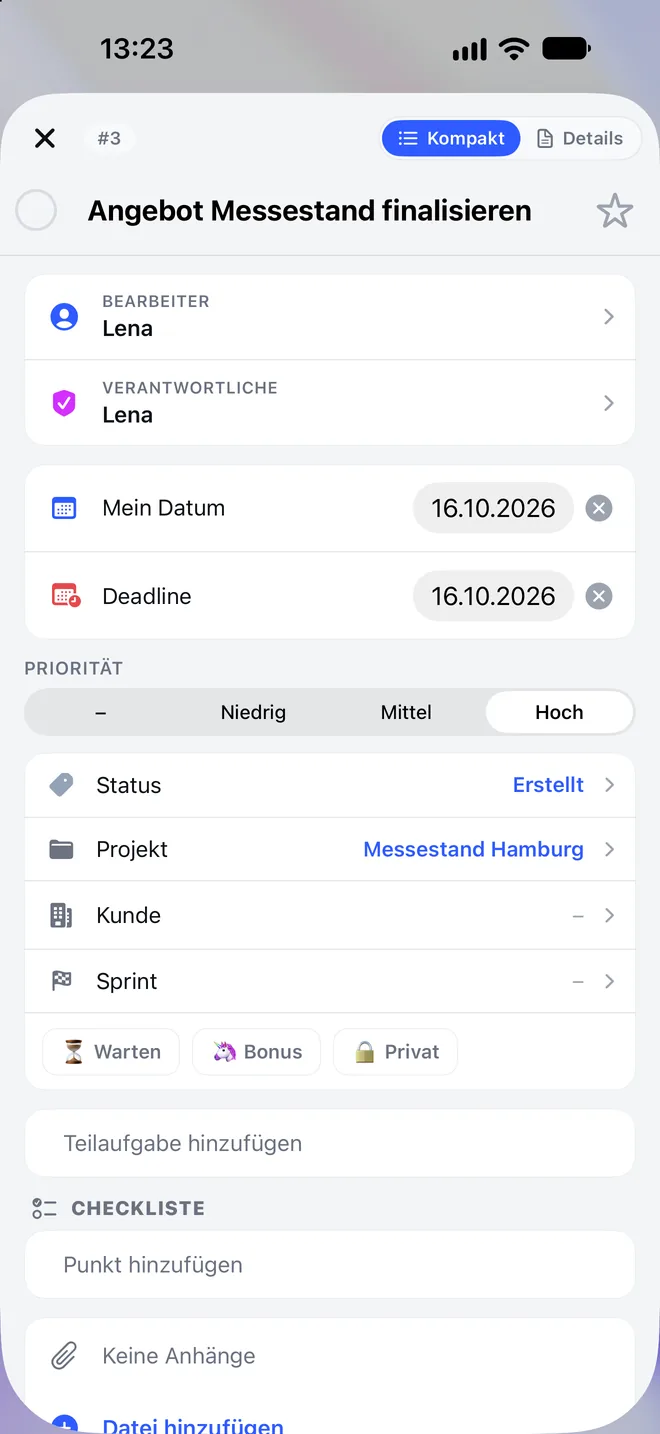
Task with assignee, dates, project and checklist
TaskEverything you need to work on it

NFC time clock

Clock in at the office door

Stick an inexpensive NFC sticker on the door or desk and write it in the app: start, stop or toggle the time clock, optionally with a fixed work location. After that, just hold your iPhone to the sticker. workYoo calculates breaks according to German working-time law.

  • The app writes the sticker itself, no extra device
  • Start, stop or toggle, with work location
  • Running time as a Live Activity on the lock screen
  • Alternatively by tap, widget or Siri

How it works

1 · Write the sticker
Choose action and work location in the app, hold your iPhone to the sticker.

2 · Stick it on
On the office door, at reception or on your own desk.

3 · Tap
In in the morning, out in the evening. The time goes straight into workYoo.

Optimised for iPhone Duo

Two pages, one desk

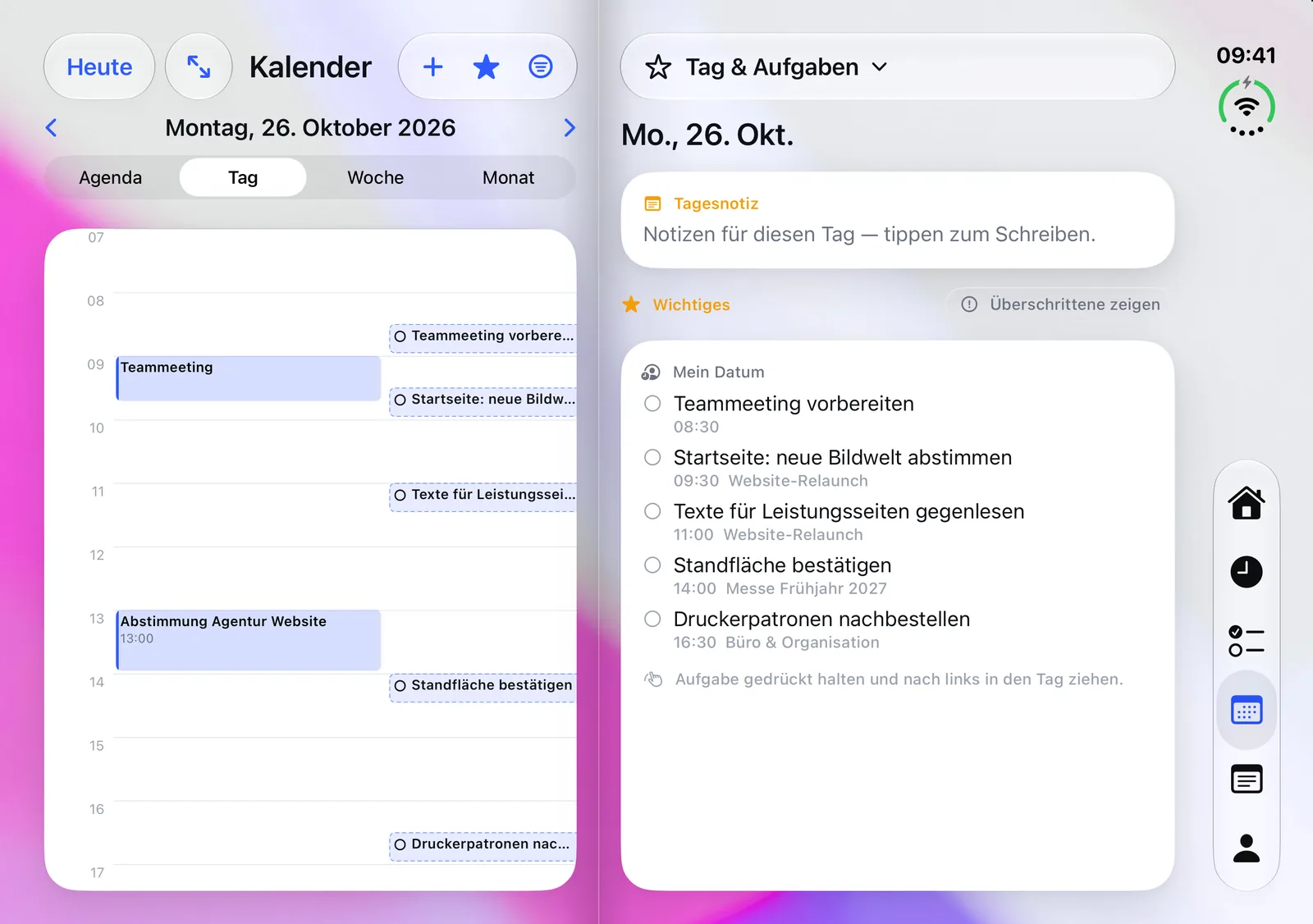
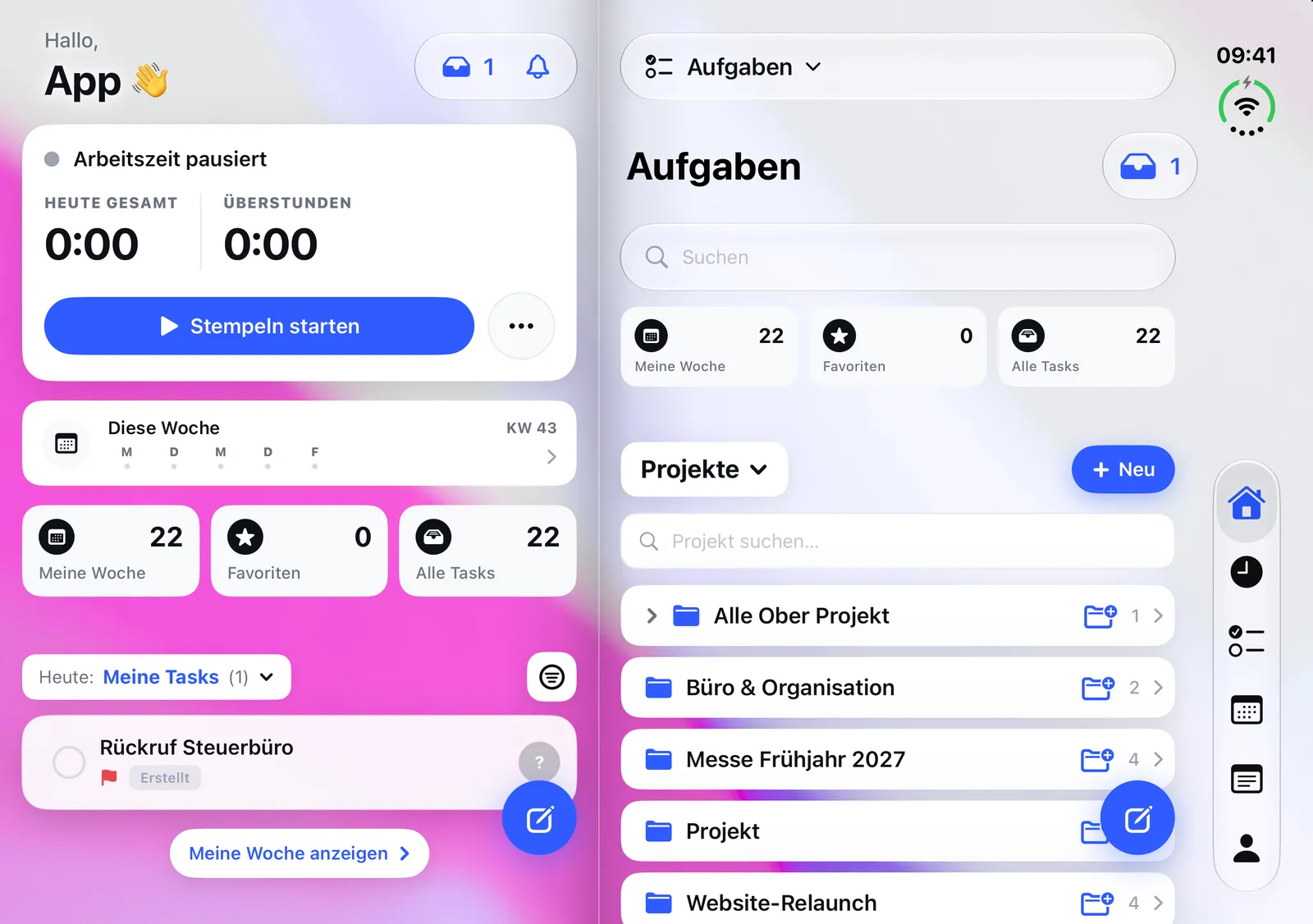
On iPhone Duo, workYoo GO is a two-page workspace: the day on the left, the work on the right, like an open planner. Folded, it is the app you know.

iPhone Duo unfolded: calendar hour grid on the left, day note and key items on the right

Drag tasks into your day

Your tasks on the right, the calendar on the left. Press and hold a task and drag it into the hour grid, and it is scheduled, with a time. You choose what the right page shows per area with one tap.

  • Home next to times, calendar or tasks
  • Two task lists side by side
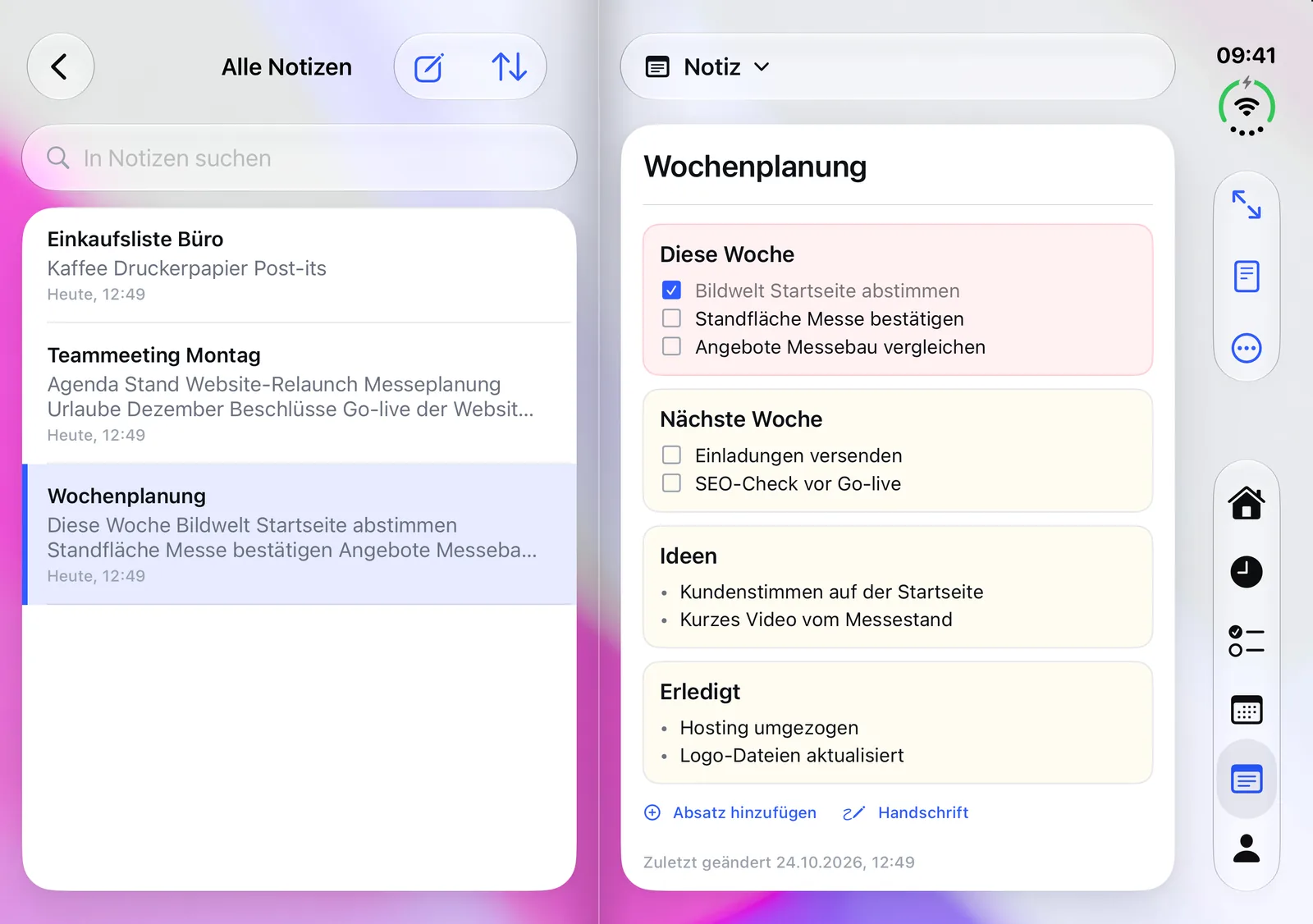
  • Notes list on the left, note on the right
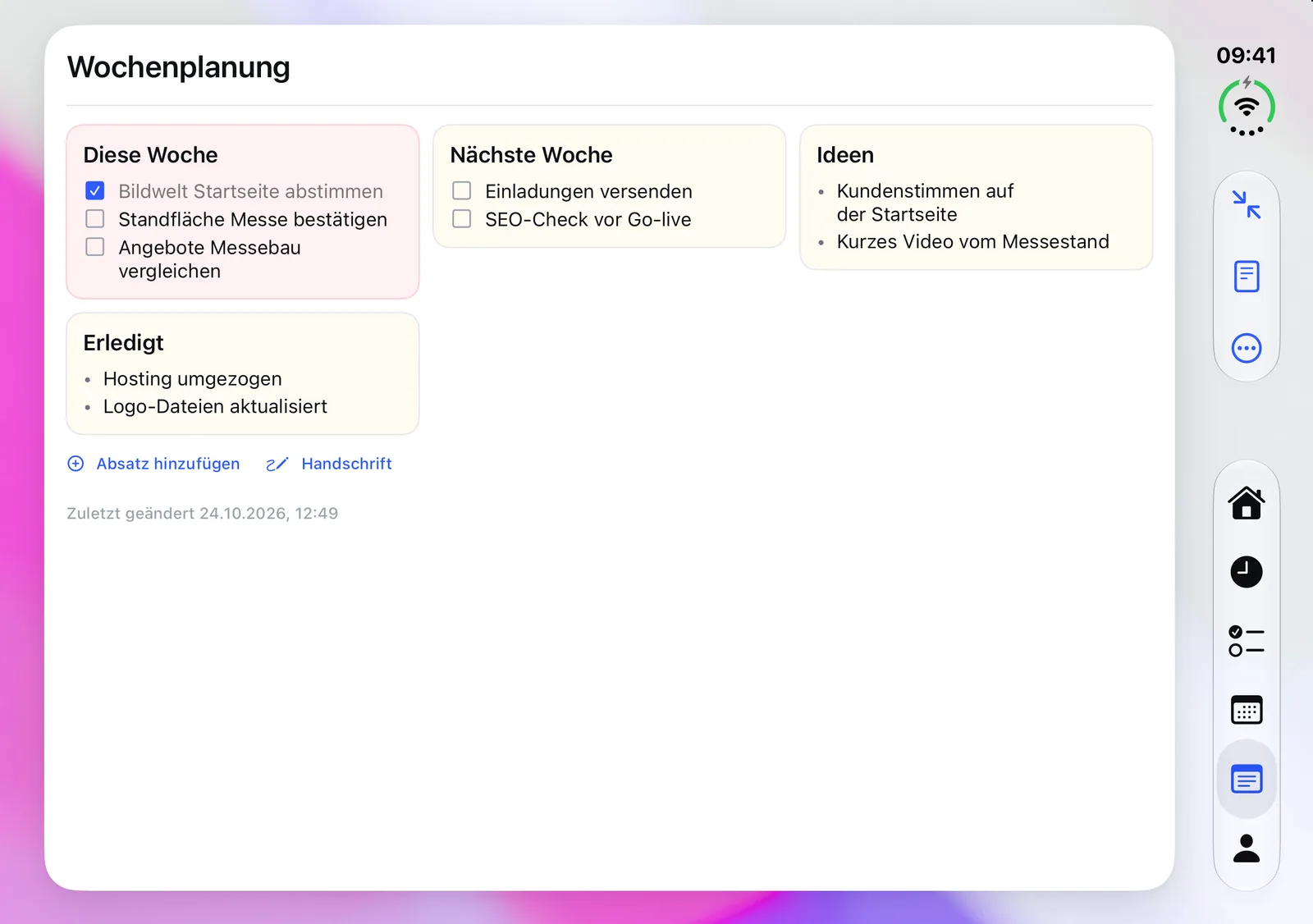
  • Month, week or note across the full width, notes then in several columns
  • Hinge-aware, built with Apple’s split arrangement
Home and tasks side by side
Home and tasks
Notes list and open note
Notes list and note
Note with cards in several columns across the full width
Note across the full width

FAQ

Frequently asked questions

What does workYoo GO cost?

The app is free and has no in-app purchases. You need a workYoo account. workYoo itself is free for up to two members, and you can create a new team right in the app.

Can the app do everything workYoo can?

No, on purpose. workYoo GO bundles what matters on the go: working time, tasks, appointments, leave, office days and notes. Setting up projects, wiki, customers and administration you do in the browser or the Mac app.

Do I need an iPhone Duo?

No. workYoo GO runs on any iPhone with iOS 17 or later. On iPhone Duo the app uses both pages when unfolded, and when folded it is the app you know.

Which NFC stickers do I need?

Standard writable NFC stickers. The app writes the action and work location onto the sticker itself.

Is there an Android app?

An Android app is planned. Until then, workYoo works on Android devices in the browser.

Where is the data stored?

As with workYoo itself, on servers in Germany. The app does not track you across other apps and contains no advertising.
Powered by

workYoo for your pocket

Free on the App Store. No account yet? Start free with your team.

Get it on the App Store Start free